
Alienware
Alienware Aurora Gaming Desktop, RTX 5070, Intel Core Ultra 7 265F
The Alienware Aurora ACT1250 (DACT1250-7229BLK-PUS) pairs a 20-core Intel Core Ultra 7 265F with an NVIDIA GeForce RTX 5070 12GB GDDR7, 32GB DDR5-5200, a 1TB NVMe SSD, Intel Z890, Wi-Fi 7, Killer 2.5Gb Ethernet, USB4 and air cooling, with Windows 11 Home and 1-year onsite service. It's built for high-refresh 1440p gaming.
Alienware Aurora RTX 5070 Review: Is This Gaming PC Worth It?
The Alienware Aurora Gaming Desktop with RTX 5070 is Dell's mainstream gaming tower in the redesigned Aurora ACT1250 chassis. This configuration pairs an Intel Core Ultra 7 265F processor with an NVIDIA GeForce RTX 5070 12GB graphics card, 32GB of DDR5 memory and a 1TB NVMe SSD. It's aimed at buyers who want a ready-to-play 1440p gaming PC with a manufacturer warranty instead of building one themselves.
This Alienware Aurora RTX 5070 review explains what this exact configuration includes, how it should perform, where it can be upgraded and how it compares with other RTX 5070 prebuilt gaming PCs. GearNexis has not tested this desktop hands-on. Specifications come from the Amazon listing for ASIN B0DPKLJ4CV (model DACT1250-7229BLK-PUS), Dell's ACT1250 owner's manual and Intel and NVIDIA product pages. We don't quote FPS, temperature or noise figures because we don't have verified results for this exact system.
Affiliate disclosure: As an Amazon Associate, GearNexis earns from qualifying purchases. Buying through our links doesn't cost you more.
Which Alienware Aurora Is This?
The Aurora ACT1250 is sold in many configurations, and Amazon groups several of them on one page. The shared product description on that page describes a different build with an RTX 5060 Ti, 16GB of RAM and a 500W power supply. The variant covered here is the Core Ultra 7 265F + RTX 5070 + 32GB + 1TB option. Check that all four are selected before you buy, and don't judge this system by reviews of the RTX 5060 Ti, RTX 5070 Ti or Core Ultra 7 265KF versions.
Alienware Aurora Specifications
| Specification | Details |
|---|---|
| Brand / Manufacturer | Alienware / Dell |
| Model | Aurora ACT1250, DACT1250-7229BLK-PUS |
| Processor | Intel Core Ultra 7 265F (8 P-cores + 12 E-cores, 20 threads, up to 5.3GHz) |
| Graphics card | NVIDIA GeForce RTX 5070, 12GB GDDR7, Blackwell |
| Memory | 32GB DDR5-5200, 2 slots (up to 64GB supported) |
| Storage | 1TB M.2 PCIe NVMe SSD |
| Chipset | Intel Z890 |
| CPU cooling | Air cooled |
| Power supply | Platinum-rated; exact wattage not confirmed for this SKU (Dell pairs the RTX 5070 with 750W or 1000W) |
| Wireless | Wi-Fi 7 (Intel BE200), Bluetooth 5.4 |
| Ethernet | Killer E3100G 2.5Gb |
| Operating system | Windows 11 Home |
| Included | Dell wired keyboard (KB216) and wired mouse |
| Dimensions / weight | 418 × 197 × 458mm (16.46 × 7.75 × 18.05in), up to 15.37kg (33.88lb) |
| Warranty | 1-year limited hardware warranty with onsite service |
Design and Build Quality
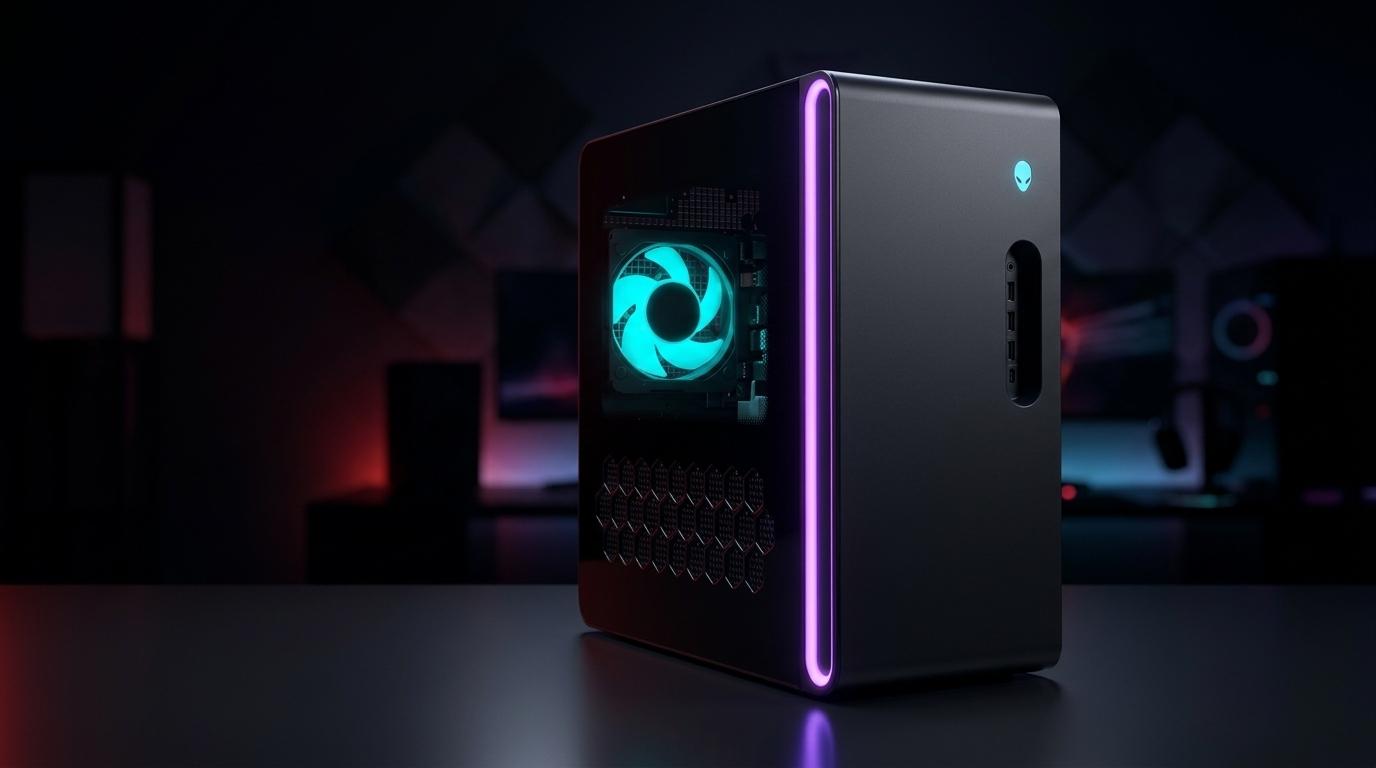
The ACT1250 is a full redesign of the Aurora. It's a conventional tower with a matte "basalt black" finish, a clear side panel and Alienware's "stadium" lighting strip on the front. At 197mm wide and 458mm deep it fits under most desks, but at up to 33.9lb it's heavy for its size. Dell says internal cable routing is designed to keep airflow paths clear, and the side panel opens with a release latch.
It's built by Dell rather than from retail parts, so the motherboard and power supply are Dell designs. That brings a tidy, consistent build and one support channel, but less freedom to swap parts later, as covered below.
Intel Core Ultra 7 265F Processor Performance
The Intel Core Ultra 7 265F is a 20-core Arrow Lake desktop chip with 8 Performance cores and 12 Efficient cores (20 threads). Intel lists a 2.4GHz P-core base clock, a 5.2GHz P-core max turbo and 5.3GHz with Turbo Boost Max 3.0, plus 30MB of Intel Smart Cache. Dell quotes 66MB total cache, which includes L2. It has a 65W base power rating and up to 182W turbo power. The "F" means there's no integrated graphics, so every display connects to the RTX 5070.
For gaming, eight fast P-cores are plenty, and the 12 E-cores handle background tasks such as Discord, browsers and streaming software. It's not a K-series chip, so it isn't unlocked for overclocking even though the board uses Intel's Z890 chipset. If you want to understand how much the CPU affects frame rates, see our guide on how much the CPU matters for gaming FPS.
NVIDIA RTX 5070 Graphics Performance
The GeForce RTX 5070 uses NVIDIA's Blackwell architecture with 6,144 CUDA cores, 12GB of GDDR7 memory on a 192-bit bus, fifth-generation Tensor cores and fourth-generation RT cores. Dell lists it at 250W and with three DisplayPort 2.1b outputs and one HDMI 2.1b output. The GPU does most of the work in games, so it decides how well this PC plays. For more on the card itself, see our ASUS Prime RTX 5070 review or browse all graphics card reviews.
Gaming Performance at 1080p, 1440p and 4K
We haven't benchmarked this exact Core Ultra 7 265F build. The closest published test we found is TechRadar's review of the ACT1250, which used a Core Ultra 7 265KF (a faster, unlocked version), an RTX 5070, 32GB of RAM and a 1TB SSD. TechRadar found it handled 1440p gaming at respectable frame rates, but frame rates in many games weren't much higher than the previous-generation Aurora R16. Treat that as a guide, not a result for this system.
1080p gaming
At 1080p the RTX 5070 has plenty of headroom. This resolution suits competitive shooters and esports titles on 240Hz or faster monitors, where the CPU matters more and settings are often lowered for higher frame rates.
1440p gaming
1440p is where this configuration makes the most sense. The RTX 5070 targets high settings at 1440p in modern AAA games, with DLSS helping in demanding titles. Pair it with a 144Hz–180Hz 1440p monitor; our gaming monitor reviews can help you choose.
4K gaming
The RTX 5070 can run games at 4K, but in demanding AAA games you'll generally need DLSS upscaling, lower settings or both. The 12GB of VRAM can also become a limit with very high texture settings. If 4K is your main goal, an RTX 5070 Ti or RTX 5080 Aurora is the better fit.
Actual performance varies by game, graphics settings, resolution, drivers, cooling and system configuration.
Ray Tracing, DLSS and NVIDIA Features
The RTX 5070 supports hardware ray tracing and DLSS 4. DLSS Super Resolution renders at a lower resolution and uses AI to upscale the image, which raises frame rates with little visible loss in supported games. DLSS Multi Frame Generation, exclusive to RTX 50-series cards, generates extra frames between rendered ones for smoother motion, especially in heavy ray-traced games. NVIDIA Reflex helps cut input latency, which matters most when frame generation is on. Game support varies, so check each title's settings.
For streamers, the RTX 5070's NVENC hardware encoder handles game capture with minimal impact on frame rates, and it supports AV1 encoding. For creators, the CUDA cores and 12GB of VRAM accelerate GPU-based video editing, 3D rendering and AI tools, though very large projects can push past 12GB.
DDR5 Memory and Storage
This variant ships with 32GB of DDR5 running at 5200MT/s. Dell's manual lists 32GB as two 16GB modules in dual-channel mode, and says the processors limit memory speed to 5200MT/s unless you use Dell-qualified XMP memory at 6400MT/s. 32GB is a comfortable amount for gaming, streaming and light creative work. The board has only two memory slots, and both are filled, so moving to the 64GB maximum means replacing both modules.
Storage is a 1TB M.2 PCIe NVMe SSD. Dell's manual lists two M.2 2230/2280 slots for PCIe Gen4 x4 NVMe drives (up to 8TB with 2280 drives) and support for one 3.5-inch SATA hard drive, sold separately. With modern games often over 100GB, 1TB fills quickly, but adding a second NVMe drive is the simplest upgrade. Our NVMe SSD buying guide and SSD reviews can help you choose one.
Cooling, Airflow and Noise
This configuration is air cooled. Dell's airflow design pulls air in through the front stadium vent and side hexagonal vents and exhausts it through the top and rear. Dell's thermal matrix shows that an air-cooled Aurora with a graphics card above 225W, such as the RTX 5070, gets a CPU fan, a rear fan, a lower front fan, two top fans and a VR heat sink.
Dell says this generation of Aurora focuses on lower noise while maintaining airflow. With a 65W base-power CPU, air cooling is a reasonable choice. We haven't measured temperatures or noise, and we didn't find independent measurements for this exact configuration, so we make no specific claims. For background, read air cooling vs liquid cooling for modern CPUs.
Alienware Command Center and AlienFX Lighting
Alienware Command Center is Dell's control app. It lets you choose and monitor performance modes, build per-game profiles and edit AlienFX lighting across the front lighting zones and compatible Alienware peripherals. Lighting effects and colors are set from the same app.
Connectivity and Expansion Options
Dell's manual lists 10 USB ports in total:
- Front: two USB 3.2 Gen 1 Type-A, one USB 3.2 Gen 1 Type-A with PowerShare, one USB 3.2 Gen 2 Type-C with PowerShare (up to 15W) and a universal audio jack.
- Rear: one USB4 20Gbps Type-C with Power Delivery (no video output), one USB 3.2 Gen 2 Type-C, two USB 3.2 Gen 1 Type-A, two USB 2.0, 2.5Gb Ethernet, optical S/PDIF, line-in and line-out.
Wireless is Wi-Fi 7 through an Intel BE200 card with Bluetooth 5.4, and wired networking uses a Killer E3100G 2.5Gb controller. Audio is Realtek ALC1220 5.1-channel. Inside, there's one PCIe 5.0 x16 slot for the graphics card, two PCIe 4.0 x4 slots and three SATA ports. Connect your monitor to the graphics card, not the motherboard.
Upgradeability and Future-Proofing
Storage is the easiest upgrade thanks to the spare M.2 slot and 3.5-inch drive support. Memory can go to 64GB, but only by replacing both modules. The PCIe 5.0 x16 slot can take a future graphics card, but power is the limit: Dell lists the RTX 5070 Ti with 750W or 1000W units and the RTX 5080 only with 1000W. Dell's power supplies use its own SFF/SFFX Platinum units rather than standard ATX, so check the installed PSU wattage and compatibility before buying a bigger GPU. The Z890 board and LGA 1851 socket are current, but CPU upgrade options are limited to what Dell's BIOS supports.
Warranty and Support
The Amazon listing includes Dell's 1-year limited hardware warranty with Basic Onsite Service. If Dell can't fix a covered fault remotely, a technician can come to your home or office. That's a real advantage over a DIY build, where each part has its own warranty. Coverage may vary by region and seller, so confirm the terms before you buy.
Who Should Buy This Gaming Desktop?
- 1440p gamers who want high settings and high refresh rates without building a PC.
- First-time PC buyers who value one warranty and onsite service for the whole system.
- Streamers and multitaskers who'll use the 20-core CPU, 32GB of RAM and NVENC encoder.
- Buyers who want modern connectivity, including Wi-Fi 7, 2.5Gb Ethernet and USB4.
Who Should Consider Another Gaming PC?
- 4K gamers, who should look at RTX 5070 Ti or RTX 5080 systems.
- Tinkerers and overclockers who want a standard ATX motherboard and power supply.
- Buyers who plan large memory upgrades, since there are only two RAM slots.
- Value-focused buyers who are comfortable building their own PC from parts.
Alienware Aurora vs Competitors
The comparison below uses the configurations shown on each competitor's Amazon listing. Three use the same RTX 5070; the Lenovo listing uses the faster RTX 5070 Ti, so it isn't a like-for-like comparison. Retailer listings don't always state PSU wattage or motherboard details, so check before buying.
| Model | CPU | GPU | RAM | Storage | Cooling | Warranty |
|---|---|---|---|---|---|---|
| Alienware Aurora ACT1250 | Core Ultra 7 265F (20 cores) | RTX 5070 12GB | 32GB DDR5-5200 | 1TB NVMe | Air | 1 year, onsite |
| CyberPowerPC Gamer Xtreme | Ryzen 9 9900X (12 cores) | RTX 5070 12GB | 32GB DDR5 | 1TB PCIe 4.0 NVMe | Liquid | 1 year parts and labor |
| iBUYPOWER Element | Core i7-14700F (20 cores) | RTX 5070 12GB | 32GB DDR5-4800 | 1TB NVMe | Air | 1 year |
| MSI Codex Z2 | Ryzen 7 8700F (8 cores) | RTX 5070 12GB | 32GB DDR5 | 2TB SSD | Air, 4 case fans | 1 year |
| Lenovo Legion Tower 5i Gen 10 | Core Ultra 9 275HX (24 cores) | RTX 5070 Ti 16GB | 64GB DDR5-5600 | 2TB SSD + 2TB HDD | Liquid | 1 year |
Alienware Aurora vs CyberPowerPC Gamer Xtreme
The CyberPowerPC Gamer Xtreme (GXiVR8080A41) uses the same RTX 5070 with an AMD Ryzen 9 9900X, a B850 board, liquid CPU cooling and RGB lighting. It's built from more standard parts, which usually makes later upgrades easier. The Alienware counters with Wi-Fi 7, USB4, 2.5Gb Killer Ethernet and onsite service.
Alienware Aurora vs iBUYPOWER Element
The iBUYPOWER Element (EBI7N5704) pairs the RTX 5070 with a previous-generation Core i7-14700F, 32GB of DDR5-4800 and a 1TB NVMe SSD. Its listing includes a gaming keyboard and RGB mouse, but its networking is basic: Gigabit Ethernet and 802.11ac Wi-Fi. The Aurora has the newer platform and far better connectivity.
Alienware Aurora vs MSI Codex Z2
The MSI Codex Z2 (A8NVP-436US) doubles storage to 2TB and uses an air cooler with four case fans, but its 8-core Ryzen 7 8700F has far fewer cores than the 20-core Intel chip. That matters less for gaming than for streaming and content creation. It uses Wi-Fi 6 rather than Wi-Fi 7.
Alienware Aurora vs Lenovo Legion Tower 5i Gen 10
The Lenovo Legion Tower 5i Gen 10 listing we compared uses an RTX 5070 Ti 16GB, a step up from the RTX 5070, with a Core Ultra 9 275HX, 64GB of RAM, 2TB SSD plus 2TB HDD, liquid cooling and Windows 11 Pro. It's a higher tier and should be compared on price with an RTX 5070 Ti Aurora rather than this one.
See more prebuilt options in our gaming PC reviews, or compare processors in our guide to the best CPUs for gaming and productivity.
Important Buying Considerations
- Confirm the variant. Make sure the Amazon page shows Ultra 7 265F, RTX 5070, 32GB and 1TB selected.
- Check the PSU wattage. Ask the seller or check the Dell service tag if you plan a future GPU upgrade.
- Plan for storage. 1TB fills quickly; budget for a second M.2 SSD if you keep many large games installed.
- Match your monitor. This PC suits a high-refresh 1440p display better than 4K.
- Compare current prices. Prebuilt prices change often, and building a similar PC yourself may cost less.
- Consider building instead. Our gaming PC build guide shows what's involved.
Final Verdict
The Alienware Aurora with RTX 5070 and Core Ultra 7 265F is a well-rounded 1440p gaming PC. You get a modern 20-core CPU, a Blackwell RTX 5070 with DLSS 4, 32GB of DDR5, Wi-Fi 7, 2.5Gb Ethernet, USB4 and onsite warranty service in a redesigned chassis tuned for lower noise. Its trade-offs are a 1TB SSD, two memory slots, Dell-specific power supplies and 12GB of VRAM that limits 4K headroom.
If you want a polished, supported gaming PC for 1440p and don't plan heavy part swaps, the Alienware Aurora RTX 5070 gaming desktop is a strong option. Check the current price and availability on Amazon.
Pros
- NVIDIA GeForce RTX 5070 12GB GDDR7 with DLSS 4 and Multi Frame Generation
- 20-core Intel Core Ultra 7 265F handles gaming, streaming and multitasking
- 32GB of dual-channel DDR5-5200 memory in this configuration
- Wi-Fi 7, Bluetooth 5.4 and Killer 2.5Gb Ethernet
- USB4 20Gbps Type-C plus 10 USB ports in total
- Spare M.2 slot, 3.5-inch drive support and PCIe 5.0 x16 graphics slot
- Redesigned ACT1250 chassis with AlienFX lighting and Command Center control
- 1-year warranty with Dell onsite servic
Cons
- 1TB SSD fills quickly with modern game libraries
- Only two memory slots, both filled, so RAM upgrades mean replacing both modules
- Dell-specific motherboard and SFF/SFFX power supply limit part swaps
- Exact power supply wattage isn't stated on the Amazon listing
- 12GB of VRAM limits headroom for 4K and very high texture settings
- Core Ultra 7 265F is locked, so the Z890 board's overclocking features go unused
- Prebuilt pricing can be higher than building a similar PC yourself
Spec Sheet
Specifications
General
| Brand | Alienware |
|---|---|
| Manufacturer | Dell |
| Model | Aurora ACT1250 |
| Model Number | DACT1250-7229BLK-PUS |
| Model Year | 2025 |
| Color | Basalt Black |
Processor
| CPU | Intel Core Ultra 7 265F |
|---|---|
| Cores / Threads | 20 (8 P-cores + 12 E-cores) / 20 |
| Max Turbo | 5.3GHz (Turbo Boost Max 3.0); 5.2GHz P-core max turbo |
| P-core Base Clock | 2.4GHz |
| Cache | 30MB Intel Smart Cache (66MB total per Dell) |
| Base / Max Turbo Power | 65W / 182W |
| Integrated Graphics | None |
| Socket | LGA 1851 |
Graphics
| GPU | NVIDIA GeForce RTX 5070 |
|---|---|
| VRAM | 12GB GDDR7, 192-bit |
| Architecture | NVIDIA Blackwell |
| CUDA Cores | 6,144 |
| Graphics Power | 250W (per Dell) |
| Display Outputs | 3 × DisplayPort 2.1b, 1 × HDMI 2.1b (per Dell) |
| Features | DLSS 4, Multi Frame Generation, ray tracing, NVIDIA Reflex, NVENC with AV1 |
Memory
| Installed | 32GB DDR5 (2 × 16GB, dual channel) |
|---|---|
| Speed | 5200MT/s |
| Slots | 2 (both occupied) |
| Maximum | 64GB |
Storage
| Installed SSD | 1TB M.2 PCIe NVMe |
|---|---|
| M.2 Slots | 2 × M.2 2230/2280 PCIe Gen4 x4 NVMe (up to 8TB with 2280) |
| 3.5-inch Drive | 1 supported (SATA, sold separately) |
| SATA Ports | 3 |
Motherboard
| Chipset | Intel Z890 |
|---|---|
| PCIe Slots | 1 × PCIe 5.0 x16, 2 × PCIe 4.0 x4 |
Cooling
| CPU Cooling | Air cooled |
|---|---|
| Fans | CPU fan, rear fan, lower front fan, 2 top fans (per Dell's thermal matrix for >225W GPUs) |
Power
| Power Supply | Platinum-rated; wattage not confirmed for this SKU (Dell pairs RTX 5070 with 750W or 1000W) |
|---|
Connectivity
| Wi-Fi | Wi-Fi 7, Intel BE200 |
|---|---|
| Bluetooth | Bluetooth 5.4 |
| Ethernet | Killer E3100G 2.5Gb |
| Front Ports | 2 × USB 3.2 Gen 1 Type-A, 1 × USB 3.2 Gen 1 Type-A PowerShare, 1 × USB 3.2 Gen 2 Type-C PowerShare, universal audio jack |
| Rear Ports | 1 × USB4 20Gbps Type-C PD, 1 × USB 3.2 Gen 2 Type-C, 2 × USB 3.2 Gen 1 Type-A, 2 × USB 2.0, RJ45, optical S/PDIF, line-in, line-out |
| Audio | Realtek ALC1220, 5.1-channel |
Software
| Operating System | Windows 11 Home |
|---|---|
| Control Software | Alienware Command Center, AlienFX |
In the Box
| Peripherals | Dell KB216 wired keyboard, wired mouse |
|---|
Physical
| Dimensions (H × W × D) | 418 × 197 × 458mm (16.46 × 7.75 × 18.05in) |
|---|---|
| Weight | Up to 15.37kg (33.88lb) |
Warranty
| Warranty | 1-year limited hardware warranty, Basic Onsite Service |
|---|
Frequently Asked Questions
Is the Alienware Aurora RTX 5070 a good gaming PC?+
What processor does the Alienware Aurora RTX 5070 use?+
How much VRAM does the RTX 5070 have?+
Can the Alienware Aurora RTX 5070 run games at 1440p?+
Is the Alienware Aurora suitable for 4K gaming?+
Can the Alienware Aurora RAM and SSD be upgraded?+
Is the Alienware Aurora good for streaming and content creation?+
Is the Alienware Aurora RTX 5070 worth buying?+
As an Amazon Associate we earn from qualifying purchases. See our affiliate disclosure.