
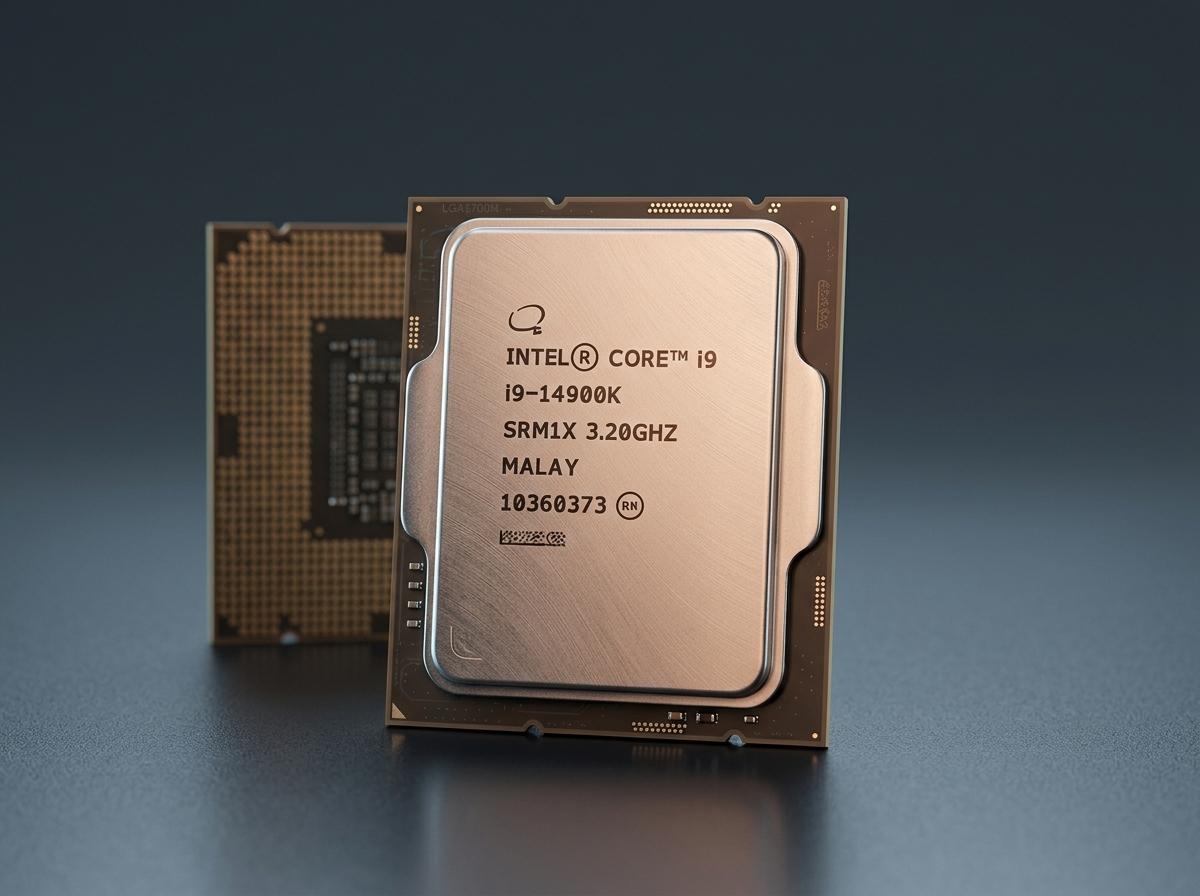
Intel
Intel Core i9-14900K Desktop Processor
Intel's 24-core, 32-thread 14th Gen flagship with up to 6.0 GHz boost clocks. It's a fast all-rounder for gamers, streamers, creators and developers on the LGA1700 platform. Supports DDR4 or DDR5 and includes Intel UHD 770 graphics. Needs strong cooling (no cooler included) and a BIOS with Intel's latest microcode.
The Intel Core i9-14900K was Intel's last flagship to carry the "Core i9" name, and it's still the fastest gaming chip Intel sells for the LGA1700 socket. It launched in the fourth quarter of 2023 with 24 cores, 32 threads and a peak boost clock of 6.0 GHz. Newer AMD processors have since taken over the top of most gaming charts, so the real question in this Intel Core i9-14900K review is narrower: who should still buy it, and what does it cost to run properly?
Our short answer: the i9-14900K remains a fast all-rounder for people who game and do heavy multi-threaded work, especially if they already own a capable LGA1700 motherboard. However, it draws a lot of power, it needs serious cooling, its socket has no newer Intel flagship to upgrade to, and owners should follow Intel's firmware guidance on the 13th/14th Gen stability issue. We cover all of that below.
How this review was written: We didn't run our own benchmarks on this chip. Our analysis combines Intel's official specifications with independent test data from established reviewers, which we cite next to each claim. Performance always depends on the game or application, resolution, graphics card, cooling, motherboard, BIOS, memory and power settings.
Quick Verdict
- Overall: A strong gaming-and-productivity hybrid that's best suited to LGA1700 upgraders and mixed-workload builders. It's no longer the best choice for a pure gaming PC.
- Best for: Gamers who also stream, edit video, render or compile code, and who want strong single-threaded speed alongside lots of cores.
- Main strengths: Very high clock speeds, 24 cores / 32 threads, strong multi-threaded output in many applications, integrated graphics, and DDR4 or DDR5 support at the platform level.
- Main drawbacks: High power draw under heavy loads, demanding cooling, a platform with no newer flagship upgrade, and firmware steps that buyers must handle to address the documented Vmin Shift instability issue.
- Platform and cooling: Plan for a high-end air cooler or a 280–360mm liquid cooler, a Z790 or Z690 board with solid power delivery, and a BIOS with Intel's latest microcode.
- Value: Its value depends on the street price. Independent reviewers found that the cheaper Core i7-14700K comes close in gaming.
- Consider an alternative if: You only game (look at the Ryzen 7 9800X3D), you're building a brand-new PC and want a longer upgrade path (AM5), or low power draw and quiet operation are priorities.
Editorial score: 7.2/10. This is our editorial judgment, not an Intel rating. We weighted gaming performance (25%), productivity performance (25%), value at current street prices (20%), power and thermals (15%), and platform longevity and firmware considerations (15%). It scores well on raw performance and loses points on efficiency and platform future.
Intel Core i9-14900K Specifications
The figures below come from Intel's official specification page for the i9-14900K.
| Specification | Intel Core i9-14900K |
|---|---|
| Model | Intel Core i9-14900K (K = unlocked, with integrated graphics) |
| Generation / code name | 14th Gen Intel Core desktop (formerly Raptor Lake, "Raptor Lake Refresh") |
| Process | Intel 7 |
| Performance cores (P-cores) | 8 |
| Efficient cores (E-cores) | 16 |
| Total cores / threads | 24 / 32 |
| P-core base frequency | 3.2 GHz |
| E-core base frequency | 2.4 GHz |
| Maximum turbo frequency | Up to 6.0 GHz (Intel Thermal Velocity Boost) |
| Intel Turbo Boost Max Technology 3.0 | Up to 5.8 GHz |
| P-core max turbo frequency | Up to 5.6 GHz |
| E-core max turbo frequency | Up to 4.4 GHz |
| Intel Smart Cache (L3) | 36 MB |
| Total L2 cache | 32 MB |
| Processor Base Power | 125 W |
| Maximum Turbo Power | 253 W |
| Max junction temperature (TJunction) | 100°C |
| Socket | FCLGA1700 |
| Memory support | Up to DDR5-5600 or DDR4-3200 (motherboard-dependent), 2 channels, up to 192 GB |
| PCI Express | PCIe 5.0 and 4.0, up to 20 CPU lanes |
| Integrated graphics | Intel UHD Graphics 770 (300 MHz base, up to 1.65 GHz) |
| Overclocking | Unlocked (requires a chipset that supports CPU overclocking, such as Z790/Z690) |
| Cooler included | No |
| Launch | Q4 2023 (independent reviews published October 17, 2023) |
| Intel recommended customer price at launch | $589–$599 (not a current street price) |
About the cache figures: Intel advertises "36 MB Intel Smart Cache," which is the L3 cache shared by all cores. Each core also has private L2 cache, totaling 32 MB. Some reviewers add the two together and quote "68 MB." All three numbers are accurate; they just measure different things.
i9-14900K vs. i9-14900KF: The KF model has the same core layout and clock speeds but no integrated graphics. The KS is a separate, higher-clocked special edition. Make sure the listing you buy matches the exact model you want.
Architecture and Features
P-cores and E-cores
The i9-14900K uses Intel's hybrid design. Its eight P-cores support Hyper-Threading (two threads each) and handle latency-sensitive work such as game logic and active applications. Its 16 E-cores run one thread each and take on background tasks and heavily parallel jobs like rendering and compiling. That's how 24 cores produce 32 threads.
Scheduling
Intel Thread Director gives the operating system hints about which core type suits a given thread. Windows 11 is designed to use those hints. Most modern software handles hybrid scheduling well, but individual games and older applications can behave differently, which is one reason results vary from title to title.
Boost clocks: what "6.0 GHz" means
Intel lists three different P-core boost limits. Turbo Boost 2.0 reaches up to 5.6 GHz, Turbo Boost Max 3.0 reaches up to 5.8 GHz on favored cores, and Thermal Velocity Boost reaches up to 6.0 GHz when temperature and power headroom allow. Peak clocks are opportunistic, not guaranteed. In a February 2026 Tom's Hardware comparison, the 14900K averaged 4.87 GHz across their gaming tests.
Memory, overclocking and platform features
The memory controller supports both DDR4 and DDR5, but a given motherboard uses only one type. As an unlocked K-series chip, the 14900K allows multiplier and voltage tuning on boards that support CPU overclocking. Be aware that overclocking can void the processor warranty, so review Intel's warranty terms first. Features such as Wi-Fi, USB4/Thunderbolt, the number of M.2 slots and PCIe 5.0 storage depend on the motherboard, not the CPU.
Core i9-14900K Gaming Performance
CPU gaming tests are usually run at 1080p with a very fast graphics card, so the processor rather than the GPU limits frame rates. At 1440p and especially 4K, the GPU becomes the bottleneck more often and the differences between high-end CPUs shrink. The results below come from different test setups and shouldn't be combined directly.
- Vs. its predecessor: In its launch review (RTX 4090), Tom's Hardware measured the 14900K at 3% faster than the Core i9-13900K at 1080p and 1% faster at 1440p.
- Vs. Ryzen 7 9800X3D: TechSpot (Hardware Unboxed) tested 45 games at 1080p with an RTX 4090. The 9800X3D was 18% faster on average and 22% faster in 1% lows. The 14900K led in only one title, Halo Infinite. TechSpot ran the 14900K with Intel's "extreme" profile and DDR5-7200, and the 9800X3D at stock with DDR5-6000.
- Vs. Ryzen 9 9950X3D: In its March 2025 review, Tom's Hardware found the 9950X3D 26% faster than the 14900K on average in its 1080p gaming suite.
- Vs. Ryzen 9 9950X: In a 2024 Tom's Hardware faceoff, the 14900K averaged 181 fps at 1080p, about 10% ahead of the 9950X. At 1440p the lead fell to about 7%.
What this means for gamers: The i9-14900K is still very fast and can feed high-refresh-rate monitors in competitive shooters and esports titles. However, AMD's X3D chips, with their large stacked L3 cache, are faster in most games that have been tested, and the gap is largest in cache-sensitive titles such as flight sims, racing sims and strategy games. If you play at 4K with a mid-range GPU, the CPU difference will often be small. For a gaming-only build, the i9-14900K is hard to justify over an X3D chip or the cheaper Core i7-14700K, which Tom's Hardware measured at only 3% slower in gaming at launch.
Productivity and Creator Performance
This is where the i9-14900K earns its keep. Its 24 cores and high clock speeds make it strong in work that scales across many threads, and also in work that depends on one fast core.
- Rendering: Tom's Hardware's 2026 testing recorded 2,210 points in Cinebench 2024 multi-core and 110 samples per minute in Blender Classroom, well ahead of the 8-core Ryzen 7 9850X3D.
- Video encoding: In the same testing, the 14900K reached 159 fps in SVT-HEVC, about 53% faster than the 9850X3D. That's useful for software encoding, exporting and transcoding.
- Vs. 16-core Ryzen 9: The Ryzen 9 9950X faceoff found AMD's chip about 23% faster in Tom's multi-threaded ranking (13% excluding AVX-heavy tests). The 14900K kept about a 5% edge in single-threaded work. At stock settings the two were nearly tied in Cinebench 2024 multi-core (2,208 vs. 2,188 points). AVX-512 workloads such as y-cruncher strongly favor the Ryzen.
- Software development: Compiling large codebases scales well with core count, so the 14900K suits developers, but a 16-core Ryzen 9 can be faster in heavily threaded jobs. Smaller incremental builds and IDE responsiveness benefit from the 14900K's strong single-thread speed.
- Streaming and multitasking: With 32 threads, the chip has headroom to game while running a software encoder, a browser and chat apps. Many streamers use the GPU's hardware encoder instead, which reduces the CPU load. The UHD Graphics 770 also supports Intel Quick Sync media encoding in supported apps.
In short, workloads that depend on one fast core favor the 14900K. Workloads that scale across every thread, especially AVX-512 code, tend to favor the Ryzen 9 9950X and 9950X3D.
Power Consumption, Temperatures and Cooling
Intel rates the i9-14900K at 125W Processor Base Power and 253W Maximum Turbo Power. These are power-limit specifications, not measurements of what the chip draws in a particular workload. Actual draw depends on the motherboard's power settings, cooling and the workload.
- At launch, with the motherboard's lifted power limits, Tom's Hardware measured a peak of 385W and an average of 339W in one heavy benchmark run.
- In its 2026 comparison, Tom's Hardware recorded 309W in Cinebench 2024 multi-core, about 134W on average while gaming, and roughly 25–26W at idle. Idle draw was similar to or lower than the AMD chip's.
This processor does not include a CPU cooler. Intel has recommended a 360mm-class radiator for best performance with its top models, as noted in Tom's Hardware's launch review. A high-end dual-tower air cooler can work, especially under Intel's default power limits, but expect some performance loss in long all-core workloads. When the chip reaches its thermal limit, it lowers clock speeds to protect itself. Good case airflow, a quality thermal paste application and a cool room all help. Actual temperatures depend on your cooler, case, ambient temperature, motherboard settings and workload, so no single cooler guarantees a particular result.
Stability, BIOS and Warranty: What Buyers Should Know
Intel has publicly acknowledged an instability issue affecting some 13th and 14th Gen desktop processors, which it calls "Vmin Shift Instability." Reporting on Intel's root-cause findings in 2024 (for example from TechRadar) attributes it to elevated voltage and temperature affecting a clock circuit within the cores. Intel addressed it through a series of microcode updates delivered via motherboard BIOS updates, plus Intel Default Settings power profiles.
- Intel's current guidance: According to Intel's support article (last reviewed July 21, 2026), users should run a BIOS containing microcode 0x12F or later and adhere to the relevant Intel Default Settings.
- The latest update: Intel released 0x12F in May 2025 to supplement the earlier 0x12B update. It addresses a limited number of reports involving systems running for days under light workloads. Intel said its testing on an i9-14900K showed no measurable performance impact (Intel Community announcement).
- Warranty: Intel's support article says it has extended warranty coverage by two years for eligible affected processors, for up to five years from the original purchase date. Eligibility and the claim process depend on the specific processor and on where and how it was bought, so check Intel's current terms before you rely on them.
Before installing an i9-14900K:
- Update the motherboard to the newest BIOS from its manufacturer that includes microcode 0x12F or later.
- Select the board's Intel Default Settings profile rather than an unlimited or "multicore enhancement" profile.
- Keep your receipt and confirm warranty terms on Intel's support site.
- If a system remains unstable after updating, contact Intel or the seller instead of working around it.
What's known and what isn't: Not every processor is affected, and Intel's microcode is designed to prevent the conditions behind the issue. Microcode is not described as repairing a processor that has already degraded, and no update can guarantee zero risk. Buying new, updating the BIOS before regular use and keeping default settings is the sensible approach. Buying used carries more uncertainty, because you can't know how the chip was run.
Motherboard and RAM Compatibility
- Socket: LGA1700. The chip works in Intel 600-series and 700-series motherboards. Older 600-series boards need a BIOS that supports 14th Gen processors, so check the board's CPU support list before buying, and use a board with BIOS Flashback if the BIOS may be outdated.
- Chipset: Choose Z790 or Z690 to use the unlocked multiplier. B-series and H-series boards can run the chip but block CPU core overclocking, and lower-end boards may have weak power delivery for a 253W-class CPU.
- DDR4 vs. DDR5: The CPU supports both, but each motherboard supports only one. Intel's official rating is DDR5-5600 or DDR4-3200. Faster XMP kits often work, but that depends on the board and the individual chip. DDR4 can lower the cost of a build, at some performance cost in memory-sensitive games.
- PCIe: The CPU provides PCIe 5.0 and 4.0 lanes (20 total). How they're divided between the graphics slot and M.2 slots depends on the motherboard.
- Upgrade path: The i9-14900K is the top standard Core i9 on LGA1700. Intel's newer Core Ultra desktop chips use a different socket (LGA1851), so treat an LGA1700 build as a platform without a newer flagship upgrade.
Pros and Cons
Pros
- Up to 6.0 GHz boost and strong single-threaded performance
- 24 cores / 32 threads for rendering, encoding and compiling
- Well-rounded: competitive in both gaming and productivity
- Integrated UHD 770 graphics for troubleshooting and Quick Sync media encoding
- DDR4 or DDR5 platform options can reduce build cost
- Drop-in upgrade for many existing LGA1700 systems (BIOS permitting)
Cons
- High power draw under heavy all-core loads
- Needs premium cooling; no cooler in the box
- Slower than AMD's Ryzen X3D chips in most games tested
- LGA1700 has no newer flagship upgrade
- Requires BIOS/microcode updates and Intel Default Settings because of the documented Vmin Shift issue
- Small gains over the i9-13900K; the Core i7-14700K offers similar gaming performance for less
i9-14900K vs. Competitors: Comparison Table
Intel's power ratings (Base Power/Maximum Turbo Power) and AMD's ratings (TDP/PPT) are defined differently, so they aren't directly comparable. Prices change frequently, so check current pricing through each link.
| CPU | Cores / Threads | Architecture | Max Boost | Cache (L2 + L3) | Power Spec | Socket / Memory | Best At | Price | Buy |
|---|---|---|---|---|---|---|---|---|---|
| Intel Core i9-14900K | 24 (8P+16E) / 32 | Raptor Lake Refresh, Intel 7 | 6.0 GHz | 32 MB + 36 MB | 125W base / 253W max turbo | LGA1700 / DDR4 or DDR5 | Mixed gaming + productivity | Check current price | View i9-14900K on Amazon |
| Intel Core i7-14700K | 20 (8P+12E) / 28 | Raptor Lake Refresh, Intel 7 | 5.6 GHz | 28 MB + 33 MB | 125W base / 253W max turbo | LGA1700 / DDR4 or DDR5 | Value all-rounder | Check current price | View i7-14700K on Amazon |
| AMD Ryzen 7 9800X3D | 8 / 16 | Zen 5 with 3D V-Cache | 5.2 GHz | 8 MB + 96 MB | 120W TDP | AM5 / DDR5 | Gaming | Check current price | View Ryzen 7 9800X3D on Amazon |
| AMD Ryzen 9 9950X | 16 / 32 | Zen 5 | 5.7 GHz | 16 MB + 64 MB | 170W TDP | AM5 / DDR5 | Heavy multi-threaded work | Check current price | View Ryzen 9 9950X on Amazon |
| AMD Ryzen 9 9950X3D | 16 / 32 | Zen 5 with 3D V-Cache | 5.7 GHz | 16 MB + 128 MB | 170W TDP | AM5 / DDR5 | Top-tier gaming + productivity | Check current price | View Ryzen 9 9950X3D on Amazon |
| Intel Core i9-14900KF | 24 (8P+16E) / 32 | Raptor Lake Refresh, Intel 7 | 6.0 GHz | 32 MB + 36 MB | 125W base / 253W max turbo | LGA1700 / DDR4 or DDR5 | Same as 14900K, no iGPU | Check current price | View i9-14900KF on Amazon |
| Intel Core i9-13900K | 24 (8P+16E) / 32 | Raptor Lake, Intel 7 | 5.8 GHz | 32 MB + 36 MB | 125W base / 253W max turbo | LGA1700 / DDR4 or DDR5 | Near-identical performance if cheaper | Check current price | View i9-13900K on Amazon |
Specifications from Intel and from AMD specifications as listed in Tom's Hardware reviews. Cache figures show L2 + L3.
Which CPU Should You Buy?
- High-refresh-rate gamers: The Ryzen 7 9800X3D is the stronger gaming pick in independent testing, and it uses far less power. AMD has since released the Ryzen 7 9850X3D, a slightly faster successor.
- Gaming plus streaming: The i9-14900K is a good fit, especially if you use CPU-based encoding or run many background apps. If you stream with your GPU's encoder, an X3D chip will still game faster.
- Video editors and creators: The i9-14900K handles editing, encoding and rendering well. If you mostly render and want top gaming too, the Ryzen 9 9950X3D is stronger in both areas but launched at a much higher price.
- Developers and heavy multi-threaded work: The Ryzen 9 9950X led in Tom's multi-threaded ranking and supports AVX-512. The i9-14900K remains competitive, with snappier single-threaded response.
- Upgrading an existing LGA1700 system: This is the 14900K's strongest case. If you have a capable Z690/Z790 board and good cooling, it's a drop-in upgrade with no new motherboard or RAM required (after a BIOS update).
- Building a new PC from scratch: Weigh AM5's longer socket support against LGA1700's end-of-line status. Tom's Hardware also notes that an LGA1700 build with DDR4 can be cheaper overall.
- Budget-conscious enthusiasts: The Core i7-14700K delivers nearly the same gaming performance and is close in productivity. If you don't need integrated graphics, the Core i9-14900KF performs the same as the K model and is sometimes cheaper. If the Core i9-13900K is meaningfully cheaper, it performs within a few percent, but the same firmware guidance applies to it.
- Concerned about power, cooling, firmware or longevity: An AMD Ryzen X3D chip is easier to cool, draws much less power in gaming and heavy loads, and sits on a platform with ongoing support.
Final Verdict
The Intel Core i9-14900K is still a genuinely fast processor. It pairs class-leading clock speeds with 24 cores, which makes it a strong choice for anyone who splits time between gaming and demanding creative or development work. The trade-offs are clear: high power draw, a need for premium cooling, a socket at the end of its road, and firmware steps you shouldn't skip. Pure gamers will get more frames per dollar and per watt from AMD's X3D chips, and value hunters should compare it against the Core i7-14700K.
If you already own a solid LGA1700 board, or you want one chip that handles gaming, streaming and heavy productivity well, the i9-14900K remains a sensible buy at the right price. Update your BIOS to Intel's latest microcode and use Intel Default Settings.
Check the latest price of the Intel Core i9-14900K on Amazon
Frequently Asked Questions
Is the Intel Core i9-14900K good for gaming?
Yes. It's a fast gaming CPU that can drive high-refresh-rate displays, especially at 1080p and 1440p. However, independent tests show AMD's Ryzen X3D chips are faster in most games. TechSpot measured the Ryzen 7 9800X3D 18% ahead on average across 45 games. At 4K, the GPU usually matters more than the CPU.
How many cores and threads does the i9-14900K have?
It has 24 cores: 8 Performance-cores with Hyper-Threading and 16 Efficient-cores without it. That adds up to 32 threads. P-cores boost up to 5.6 GHz (up to 6.0 GHz with Thermal Velocity Boost), and E-cores boost up to 4.4 GHz.
Does the i9-14900K include a cooler?
No. The boxed i9-14900K doesn't include a CPU cooler. Because its Maximum Turbo Power is 253W and measured draw can be higher with lifted motherboard limits, plan for a high-end air cooler or a 280–360mm liquid cooler, plus good case airflow.
Does the i9-14900K support DDR4 and DDR5?
The processor supports both, officially up to DDR5-5600 and DDR4-3200. Each motherboard supports only one memory type, though, so choose a DDR4 board or a DDR5 board to match the memory you plan to use.
Which motherboards support the i9-14900K?
LGA1700 boards with Intel 600-series or 700-series chipsets, such as Z790, Z690, B760 and B660, can support it with a compatible BIOS. Choose Z790 or Z690 for overclocking. Always check the board maker's CPU support list and install the latest BIOS with Intel microcode 0x12F or later.
Is the i9-14900K still worth buying?
It can be, particularly for LGA1700 owners upgrading and for mixed gaming and productivity use at a good price. For a gaming-only build or a new PC where upgrade path matters, AMD's AM5 options are often the better long-term choice. The Core i7-14700K is also close in performance for less money.
Is the i9-14900K better than the Ryzen 7 9800X3D for gaming?
No, not on average. In TechSpot's 45-game test, the 9800X3D was about 18% faster on average and 22% faster in 1% lows, while using less power. The i9-14900K is much stronger in multi-threaded productivity work, though, so it can still be the better all-round choice.
What should buyers know about i9-14900K stability and BIOS updates?
Intel acknowledged a "Vmin Shift" instability issue affecting some 13th and 14th Gen desktop CPUs. Intel recommends running a BIOS with microcode 0x12F or later and using Intel Default Settings. It has also extended warranty coverage for eligible processors by two years. Updates are preventive and can't guarantee zero risk.
Pros
- Up to 6.0 GHz boost with strong single-threaded performance
- 24 cores / 32 threads for rendering, encoding and compiling
- Balanced gaming and productivity performance
- Intel UHD Graphics 770 with Quick Sync
- DDR4 or DDR5 platform flexibility
- Drop-in upgrade for existing LGA1700 systems (BIOS permitting)
Cons
- High power draw under heavy all-core loads
- Requires premium cooling; no cooler included
- Slower than Ryzen X3D chips in most tested games
- LGA1700 has no newer flagship upgrade
- Needs BIOS microcode 0x12F or later and Intel Default Settings
- Minor gains over the i9-13900K; the i7-14700K is close for less
Spec Sheet
Specifications
General
| Brand | Intel |
|---|---|
| Model | Core i9-14900K |
| Product family | Intel Core i9 (14th Gen desktop) |
| Code name | Raptor Lake (Refresh) |
| Lithography | Intel 7 |
| Launch | Q4 2023 |
| Unlocked | Yes |
Performance
| Total cores | 24 |
|---|---|
| Performance-cores | 8 |
| Efficient-cores | 16 |
| Threads | 32 |
| Max turbo frequency | 6.0 GHz |
| Thermal Velocity Boost | 6.0 GHz |
| Turbo Boost Max 3.0 | 5.8 GHz |
| P-core max turbo | 5.6 GHz |
| E-core max turbo | 4.4 GHz |
| P-core base | 3.2 GHz |
| E-core base | 2.4 GHz |
Cache
| Intel Smart Cache (L3) | 36 MB |
|---|---|
| Total L2 cache | 32 MB |
Memory
| Memory types | DDR5-5600, DDR4-3200 (motherboard-dependent) |
|---|---|
| Max memory | 192 GB |
| Memory channels | 2 |
Connectivity
| PCI Express revision | 5.0 and 4.0 |
|---|---|
| Max PCIe lanes | 20 |
Graphics
| Integrated graphics | Intel UHD Graphics 770 |
|---|---|
| Graphics base / max frequency | 300 MHz / 1.65 GHz |
Power and Cooling
| Processor Base Power | 125 W |
|---|---|
| Maximum Turbo Power | 253 W |
| TJunction | 100°C |
| Cooler included | No |
Compatibility
| Socket | FCLGA1700 |
|---|---|
| Chipsets | Intel 600 and 700 series (BIOS support required) |
| Recommended BIOS | Microcode 0x12F or later (per Intel) |
Frequently Asked Questions
Is the Intel Core i9-14900K good for gaming?+
How many cores and threads does the i9-14900K have?+
Does the i9-14900K include a cooler?+
Does the i9-14900K support DDR4 and DDR5?+
Which motherboards support the i9-14900K?+
Is the i9-14900K still worth buying?+
Is the i9-14900K better than the Ryzen 7 9800X3D for gaming?+
What should buyers know about i9-14900K stability and BIOS updates?+
As an Amazon Associate we earn from qualifying purchases. See our affiliate disclosure.