
AMD
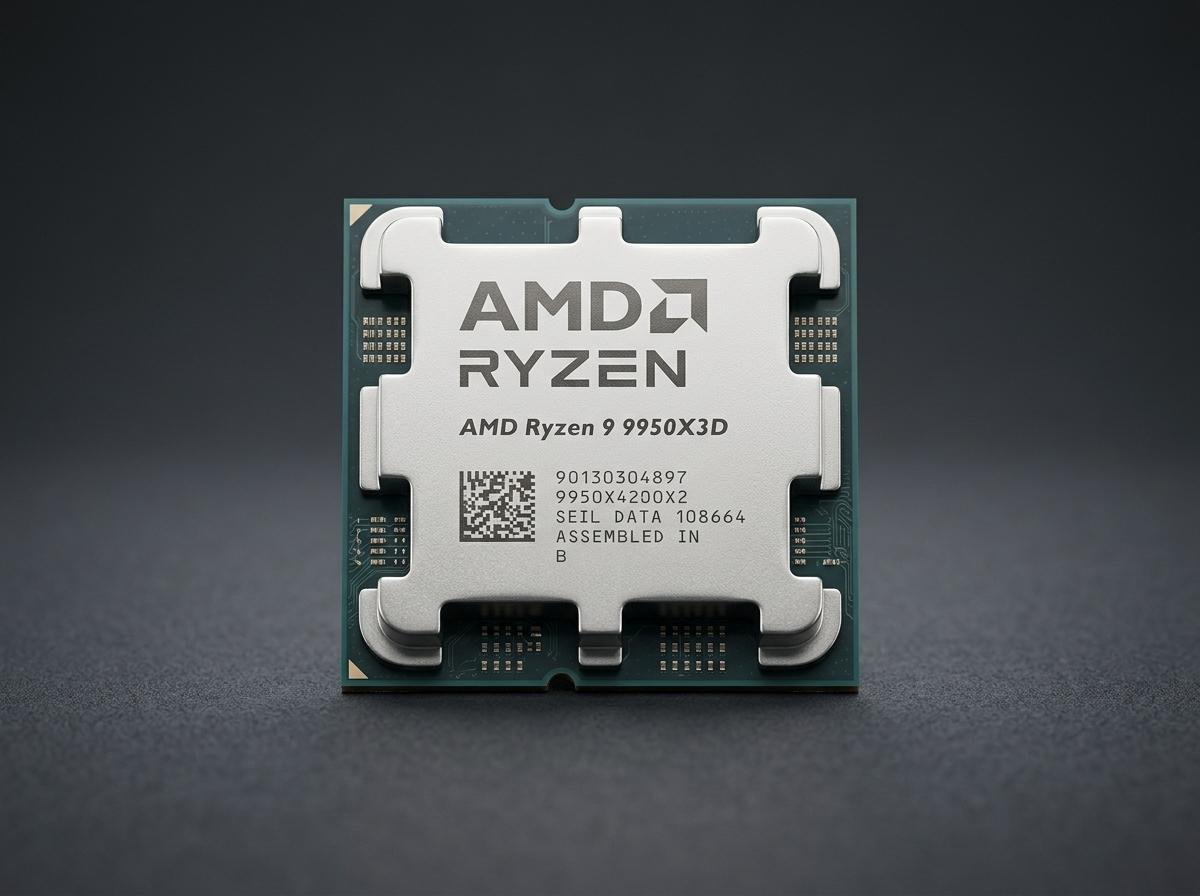
AMD Ryzen 9 9950X3D 16-Core Processor
A 16-core, 32-thread Zen 5 desktop processor with 144 MB of total cache from AMD’s 3D V-Cache. Independent testing shows it matching the Ryzen 7 9800X3D in average 1080p gaming while keeping full 16-core productivity performance. Built for gamers who also render, encode, compile, or stream.
Disclosure: As an Amazon Associate, we earn from qualifying purchases. If you buy through links on this page, we may earn a commission at no additional cost to you.
Most high-end desktop CPUs make you pick a lane. Eight-core X3D chips win at gaming but give up a lot in rendering and compiling. Sixteen-core chips handle heavy workloads but fall behind in cache-sensitive games. The AMD Ryzen 9 9950X3D tries to close that gap. It pairs 16 Zen 5 cores and 32 threads with AMD's second-generation 3D V-Cache, for 144 MB of combined L2 and L3 cache. It also keeps the same 170W default TDP as the standard Ryzen 9 9950X.
This AMD Ryzen 9 9950X3D review is a research-based editorial analysis. We did not test the chip in our own lab. Instead, we pulled together AMD's official specifications and published results from independent reviewers to answer one practical question: is this the right CPU for you, or would a cheaper chip like the Ryzen 7 9800X3D or Ryzen 9 9950X serve you just as well? The answer depends on how much of your time goes to gaming and how much goes to heavy multi-core work.
Quick Verdict
- Overall: Independent testing shows the 9950X3D matching the Ryzen 7 9800X3D in average 1080p gaming. It also roughly matches the Ryzen 9 9950X in overall multi-threaded productivity. Few desktop CPUs do both this well.
- Best for: People who game seriously and also render, encode, compile, or stream on the same machine.
- Main strength: Top-tier gaming in cache-sensitive titles combined with full 16-core productivity performance.
- Main drawback: It costs a lot more than the 9800X3D, and gamers who never use the extra cores get almost nothing for that premium.
- Value: It's strong value for mixed workloads and weak value for gaming alone.
- Who should skip it: Gaming-only buyers, budget-limited builders, and anyone who plays mostly at 4K with a GPU that will be the bottleneck anyway.
- Our editorial assessment: 8.7/10. This is our own weighted judgment of performance, versatility, efficiency, platform cost, and value. It is not an official AMD rating.
AMD Ryzen 9 9950X3D Specifications
Unless noted otherwise, the specifications below come from AMD's official product page.
| Specification | Value |
|---|---|
| Full product name | AMD Ryzen 9 9950X3D |
| Architecture | Zen 5 (codename Granite Ridge) |
| CPU cores / threads | 16 / 32 |
| Base clock | 4.3 GHz |
| Maximum boost clock | Up to 5.7 GHz |
| L1 cache | 1,280 KB |
| L2 cache | 16 MB |
| L3 cache | 128 MB |
| Total cache (L2 + L3) | 144 MB |
| Default TDP | 170W |
| Process | TSMC 4nm (CPU cores), TSMC 6nm (I/O die) |
| Socket | AM5 |
| Memory | DDR5, dual-channel, up to 256 GB, ECC supported (requires motherboard support) |
| Official memory speed | DDR5-5600 (2 DIMMs); DDR5-3600 (4 DIMMs) |
| PCIe | PCIe 5.0, 28 total / 24 usable lanes |
| Integrated graphics | AMD Radeon Graphics, 2 graphics cores, 2,200 MHz |
| Cooler included | No |
| Recommended cooling | Liquid cooler recommended for optimal performance |
| Max. operating temperature (Tjmax) | 95°C |
| Overclocking | Unlocked; supports PBO, Curve Optimizer, and EXPO |
| Launch date | March 12, 2025 |
A note on clocks and TDP: 5.7 GHz is the highest frequency a core can reach under ideal, lightly threaded conditions. It is not the speed every core holds under sustained load. Real operating clocks depend on cooling, workload, power limits, and motherboard settings. In the same way, the 170W TDP is a thermal design figure, not the maximum the chip can draw. Tom's Hardware lists the 9950X3D's power ceiling at 230W, and its hardware measurements peaked at 233W.
What Makes the Ryzen 9 9950X3D Different?
Zen 5 cores plus stacked cache
Underneath, the 9950X3D uses the same foundation as the Ryzen 9 9950X: two eight-core Zen 5 compute chiplets (CCDs) and an I/O die. The difference is that AMD stacks an extra 64 MB of L3 SRAM onto one of the two CCDs. That brings total L3 to 128 MB, versus 64 MB on the standard 9950X.
In first-generation X3D chips, the cache sat on top of the cores and trapped heat, so AMD had to lower clocks and TDP. On the second generation, the cache die sits underneath the compute die. Because the hot cores are now closer to the cooler, the 9950X3D can run the full 170W TDP. Its predecessor, the Ryzen 9 7950X3D, was rated at 120W.
Why cache matters in some games and not others
Games constantly pull data such as world state, AI, physics, and draw calls. When that data fits in L3, the CPU skips slower trips to system memory, so it can keep the GPU busy at high frame rates. Simulation-heavy and open-world titles often benefit a lot. Games that are GPU-bound, or whose working data doesn't fit the pattern, see little or no gain.
The dual-CCD trade-off
Only one of the two CCDs has the extra cache. For gaming, the best result usually comes from keeping game threads on that cache-equipped CCD. Heavy multi-threaded work like rendering, by contrast, uses all 16 cores. AMD handles this through its chipset driver package, which uses core parking and thread targeting to steer games onto the right CCD. According to Tom's Hardware, AMD updated that software for this generation. It now detects a CPU swap without needing a Windows reinstall, and it uses an Application Compatibility Database to hide the non-cache cores from a small list of stubborn games. The practical takeaway: install AMD's latest chipset driver and keep Windows and your BIOS current.
Ryzen 9 9950X3D Gaming Performance
CPU-limited results at 1080p
Tom's Hardware tested a 16-game suite at 1080p with an RTX 5090 to reduce GPU bottlenecks as much as possible. In that suite, the Ryzen 7 9800X3D came out just 0.4% ahead of the 9950X3D on average, which is effectively a tie. In the same testing, the 9950X3D averaged about 37% faster than the Core Ultra 9 285K, 26% faster than the Core i9-14900K, and roughly 20% faster than the Ryzen 9 7950X3D. Tom's notes that its suite leans heavily toward CPU-limited, V-Cache-friendly titles, so those margins are best-case.
Other outlets got slightly different numbers. A review roundup reports that ComputerBase measured the 9950X3D about 3% behind the 9800X3D. Differences like this are normal. Game selection, memory settings, BIOS versions, Windows builds, and GPU choice all move the results.
Title-by-title variation
Averages hide real differences between games. In Tom's testing, the 9950X3D beat the 9800X3D in titles such as Baldur's Gate 3 and Hogwarts Legacy, while the 9800X3D led in others. Tom's also saw the 9950X3D's cache CCD boost to around 5.5 GHz in games, compared with roughly 5.2 to 5.3 GHz on the 9800X3D. That clock advantage helps explain the close race. Microsoft Flight Simulator and Far Cry 6 were singled out as titles that respond very well to extra L3 cache.
1440p, 4K, and GPU bottlenecks
The gaps above shrink at higher resolutions. At 1440p and especially 4K, the graphics card usually becomes the limit, so many high-end CPUs land within a narrow range. A faster CPU can still help 1% lows and frame-time consistency in CPU-heavy scenes, but a 4K player using a mid-range GPU will likely see far less benefit than the 1080p charts suggest.
Is it better than the 9800X3D for gaming?
Not in any meaningful way. Published averages put the two chips roughly level. The extra eight cores rarely help games, which typically run on the cache CCD anyway. If gaming is all you do, the 9800X3D delivers essentially the same experience for less money. The 9950X3D is worth it only when you'll also use those extra cores. Tom's also found that AMD's one-click Precision Boost Overdrive (PBO) added less than 1% in gaming.
Productivity and Content Creation
This is where the 9950X3D separates itself from the 9800X3D. In Tom's Hardware's multi-threaded geometric mean, the 9950X3D matched the standard Ryzen 9 9950X overall and was about 20% faster than the 7950X3D. The 9950X still won some individual heavily threaded tests, but the gap in many real-world applications was small.
- 3D rendering: The 9950X3D led in Blender, Embree, and Cinebench multi-core in Tom's testing. Intel's Core Ultra 9 285K led in POV-Ray, C-Ray, and LuxMark C++.
- Versus Intel overall: The 9950X3D was about 11% faster than the 285K in Tom's threaded measurement. Tom's cautions that this lead is heavily influenced by AVX-512 workloads, which the 285K doesn't support natively, and that the 285K wins plenty of individual threaded tests.
- Single-thread work: The 285K was about 7% faster in Tom's single-thread aggregate, and the 14900K about 3% faster.
- Software development: The 9950X and 9950X3D narrowly led Tom's LLVM compilation test.
- Video editing and encoding: Tom's ran PugetBench for Premiere Pro, Photoshop, and DaVinci Resolve, plus HandBrake, SVT-HEVC, and SVT-AV1 encoders. Results varied by application. If you edit for a living, check the per-app charts for the software you actually use.
- Overclocking: A simple PBO profile added about 6% in Tom's productivity suite, at a disproportionately high cost in power.
For streaming while gaming, running a large codebase build next to a browser full of tabs, or rendering in the background, 16 cores give you real headroom an eight-core chip can't match. Hardware GPU encoders can take much of the streaming load, though, so check how your own workflow uses the CPU.
Power Consumption, Thermals, and Cooling
Under productivity loads, Tom's Hardware measured the 9950X3D at the EPS12V connectors peaking at 233W, with most workloads in the low 200s. For comparison, the Core i9-14900K drew up to 383W in Blender, and the Core Ultra 9 285K peaked at 325W in the same testing. Tom's called the 9950X3D comparatively frugal for its performance level and placed it near the top of its HandBrake efficiency chart.
Gaming power is a different story. Testers reported average gaming draw well above the 9800X3D's. A roundup cites TechPowerUp at about 144W and ComputerBase at about 129W. If efficiency during gaming matters to you, the eight-core chip has a clear advantage.
Cooling: There is no cooler in the box. AMD officially recommends a liquid cooler for optimal performance, and the chip's maximum operating temperature is 95°C. Like other recent Ryzen chips, it will use available thermal headroom to boost higher, so a stronger cooler can translate into higher sustained clocks. A capable 240mm or 360mm AIO is a sensible choice for heavy all-core work. A high-end dual-tower air cooler can work in a well-ventilated case, though it may give up some sustained performance and run louder under long renders. Case airflow matters as much as the cooler itself. We can't promise any specific temperature from any specific cooler, because results depend on ambient temperature, case design, fan curves, and BIOS settings.
Motherboard and Memory Compatibility
- Socket: AM5 only. It will not work in any AM4 motherboard.
- Supported chipsets (per AMD): X870E, X870, B850, B840, X670E, X670, B650E, B650, and A620.
- BIOS: Older 600-series boards may need a BIOS update before they recognize the chip. Check your motherboard's CPU support list for the minimum BIOS version, and update before you swap processors.
- Power delivery: A board's chipset doesn't guarantee its VRM quality. Entry-level boards, A620 models in particular, may be less suited to sustained 16-core loads or PBO. Look for robust VRMs if you plan heavy rendering or overclocking.
- Memory: DDR5 only, dual-channel, up to 256 GB. AMD officially rates DDR5-5600 with two DIMMs, and DDR5-3600 with four. Running two DIMMs is the simpler way to reach higher speeds, and EXPO profiles are supported.
- PCIe 5.0: The CPU provides PCIe 5.0 with 24 usable lanes. Whether you get PCIe 5.0 graphics and M.2 slots depends on the motherboard model.
Coming from AM4? Budget for a new AM5 motherboard and DDR5 memory on top of the CPU. If you already own an AM5 system, this is a drop-in upgrade after a BIOS update.
Pros and Cons
Pros
- Averaged a statistical tie with the Ryzen 7 9800X3D in Tom's Hardware's 1080p gaming suite
- Roughly matches the Ryzen 9 9950X in overall multi-threaded productivity
- 144 MB of total cache benefits many simulation and open-world games
- Full 170W TDP, a big step up from the 7950X3D's 120W
- Fully unlocked, with PBO and Curve Optimizer support
- AVX-512 support helps in some scientific and compute workloads
- Efficient in productivity work compared with Intel's flagship chips in published testing
Cons
- Expensive compared with the 9800X3D, which games just as well
- Extra cores offer little benefit to gaming-only users
- No included cooler, and AMD recommends liquid cooling
- Reviewers measured notably higher gaming power draw than the 9800X3D
- Dual-CCD design depends on AMD's chipset driver for the best gaming scheduling
- Requires AM5 and DDR5, which adds cost for AM4 upgraders
Ryzen 9 9950X3D vs. Competing CPUs
Specifications below come from AMD's product pages and the specification tables in Tom's Hardware's review. Intel Core i9-14900K details still need to be confirmed against Intel's official ARK listing. Prices change constantly, so check the current listing before buying.
| Processor | Cores / Threads | Architecture | Max Boost | Total Cache (L2+L3) | Default TDP | Platform / Memory | Main Use Case | Purchase |
|---|---|---|---|---|---|---|---|---|
| AMD Ryzen 9 9950X3D | 16 / 32 | Zen 5 + 3D V-Cache | 5.7 GHz | 144 MB (16+128) | 170W | AM5 / DDR5 | Gaming + heavy productivity | Check Ryzen 9 9950X3D price |
| AMD Ryzen 9 9950X | 16 / 32 | Zen 5 | 5.7 GHz | 80 MB (16+64) | 170W | AM5 / DDR5 | Productivity-first | Check Ryzen 9 9950X price |
| AMD Ryzen 9 9900X3D | 12 / 24 | Zen 5 + 3D V-Cache | 5.5 GHz | 140 MB (12+128) | 120W | AM5 / DDR5 | Gaming + moderate productivity | Check Ryzen 9 9900X3D price |
| AMD Ryzen 7 9800X3D | 8 / 16 | Zen 5 + 3D V-Cache | 5.2 GHz | 104 MB (8+96) | 120W | AM5 / DDR5 | Gaming-focused | Check Ryzen 7 9800X3D price |
| AMD Ryzen 9 7950X3D | 16 / 32 | Zen 4 + 3D V-Cache | 5.7 GHz | 144 MB (16+128) | 120W | AM5 / DDR5 | Previous-gen gaming + productivity | Check Ryzen 9 7950X3D price |
| Intel Core Ultra 9 285K | 24 / 24 (8P+16E) | Arrow Lake | 5.7 GHz | 76 MB (40+36) | 125W base / 250W max turbo | LGA 1851 / DDR5 | Productivity, single-thread | Check Core Ultra 9 285K price |
| Intel Core i9-14900K | 24 / 32 (8P+16E) | Raptor Lake Refresh | 6.0 GHz | 68 MB (32+36) | 125W base / 253W max turbo | LGA 1700 / DDR5 or DDR4 | Previous-gen Intel gaming + productivity | Check Core i9-14900K price |
Reading the table: The cache column shows total L2 plus L3 for every chip, so the figures compare directly. The Intel chips' "TDP" values are Intel's base and maximum turbo power ratings, which work differently from AMD's TDP and shouldn't be compared one-to-one.
Which CPU Should You Buy?
One high-end CPU for gaming and production
The Ryzen 9 9950X3D is the most complete option here. Published testing shows it gaming at 9800X3D level and producing at 9950X level. Few chips cover both workloads this well.
Gaming-focused buyers
Choose the AMD Ryzen 7 9800X3D. Its average gaming performance is essentially the same, and it costs less, uses less power while gaming, and is easier to cool. Put the savings toward a better GPU, which matters far more at 1440p and 4K.
Content creators and workstation users
If you rarely game, or mostly play at GPU-limited resolutions, the AMD Ryzen 9 9950X gives you the same core count and similar multi-threaded results, usually for less money. If your main apps favor Intel's single-thread strength or specific tests like those where the 285K led, look at the Intel Core Ultra 9 285K, keeping in mind that it trailed significantly in Tom's gaming tests.
Existing AM5 owners
Coming from a Ryzen 7000 chip, the 9950X3D is a straightforward drop-in upgrade after a BIOS update. If you already own a Ryzen 9 7950X3D, Tom's measured about a 20% uplift in both gaming and productivity. Whether that justifies the cost depends on how often you're actually CPU-limited.
Upgrading from AM4
Your total cost includes the CPU plus an AM5 motherboard and DDR5 memory. If budget is tight, the 9800X3D platform costs less overall and still delivers top-tier gaming.
Strong performance at a lower system cost
The AMD Ryzen 9 9900X3D sits in between, with 12 cores and the same 128 MB of L3, but a lower 120W TDP and 5.5 GHz boost. Expect noticeably less multi-threaded performance than the 9950X3D. Compare current prices carefully, because the 9800X3D and 9950X3D often make more sense at either end.
Final Verdict
The AMD Ryzen 9 9950X3D is one of the strongest all-rounder desktop CPUs available. Independent testing shows it keeping pace with the Ryzen 7 9800X3D in average 1080p gaming while delivering the multi-threaded performance of the standard 16-core Ryzen 9 9950X. AMD's second-generation 3D V-Cache design also removes the clock and TDP penalties that held back the 7950X3D.
The trade-offs are cost, cooling, and fit. Gamers who never render or encode will get nearly the same frame rates from the cheaper 9800X3D. Creators who don't game much can save with the 9950X. But if your PC has to handle a Blender render in the afternoon and a CPU-heavy game at night, the 9950X3D is the chip that does both without compromise.
Check the latest price of the AMD Ryzen 9 9950X3D on Amazon
Frequently Asked Questions
Is the Ryzen 9 9950X3D good for gaming?
Yes. In Tom's Hardware's 16-game 1080p suite with an RTX 5090, it averaged within 0.4% of the Ryzen 7 9800X3D and well ahead of Intel's Core Ultra 9 285K and Core i9-14900K. Results vary by game, resolution, and GPU, and the gap between CPUs narrows a lot at 1440p and 4K.
Is the Ryzen 9 9950X3D worth it for productivity?
For heavy multi-threaded work, yes. Tom's Hardware found it roughly matched the standard Ryzen 9 9950X in its overall multi-threaded measurement and was about 20% faster than the Ryzen 9 7950X3D. If you don't game much, the 9950X offers similar productivity for less.
How many cores and threads does the Ryzen 9 9950X3D have?
It has 16 Zen 5 cores and 32 threads, with a 4.3 GHz base clock and up to 5.7 GHz boost. Total cache is 144 MB: 16 MB of L2 plus 128 MB of L3.
Does the Ryzen 9 9950X3D include a cooler?
No. AMD lists the thermal solution as not included and recommends a liquid cooler for optimal performance. A quality 240mm or 360mm AIO, or a high-end air cooler in a well-ventilated case, is a sensible starting point. Actual temperatures depend on your case, fans, and settings.
Which motherboard supports the Ryzen 9 9950X3D?
Any AM5 board with a compatible BIOS. AMD lists X870E, X870, B850, B840, X670E, X670, B650E, B650, and A620 chipsets. Check your board's CPU support list for the required BIOS version. Choose a board with strong VRMs for sustained heavy loads. AM4 boards are not compatible.
Does the Ryzen 9 9950X3D support DDR5?
Yes, and only DDR5. It supports dual-channel memory up to 256 GB. AMD's official speed is DDR5-5600 with two DIMMs and DDR5-3600 with four DIMMs, and EXPO memory profiles are supported. ECC works only if the motherboard supports it.
Is the Ryzen 9 9950X3D better than the Ryzen 7 9800X3D for gaming?
Not meaningfully. Reviewers found the two roughly even on average. Tom's measured a 0.4% edge for the 9800X3D, and ComputerBase reportedly found about 3%. Each chip wins some individual games. The 9950X3D is only worth the extra cost if you also need its additional cores.
Should you choose the Ryzen 9 9950X3D or Ryzen 9 9950X?
Choose the 9950X3D if gaming matters to you, since its extra L3 cache gives large gains in many CPU-limited games. Choose the 9950X if your work is mostly rendering, encoding, or compiling. The two performed similarly in Tom's multi-threaded tests, and the 9950X typically costs less.
Pros
- Roughly matches the Ryzen 9 9950X in overall multi-threaded productivity
- 144 MB of total cache speeds up many simulation and open-world games
- Full 170W TDP, up from the 7950X3D’s 120W
- Fully unlocked, with PBO and Curve Optimizer support
- Supports AVX-512
- In published testing, more power-efficient than Intel’s flagship chips under productivity loads
Cons
- Costs much more than the 9800X3D for the same gaming performance
- The extra cores do little for people who only game
- No cooler included, and AMD recommends liquid cooling
- Reviewers measured higher gaming power draw than the 9800X3D
- Getting games onto the right chiplet depends on AMD’s chipset driver
- Needs AM5 and DDR5, which adds cost for anyone coming from AM4
Spec Sheet
Specifications
General
| Brand | AMD |
|---|---|
| Model | Ryzen 9 9950X3D |
| Product Family | Ryzen 9000 Series |
| Codename | Granite Ridge |
| Market Segment | Enthusiast Desktop |
| Launch Date | March 12, 2025 |
| Boxed Product ID | 100-100000719WOF |
| Tray Product ID | 100-000000719 |
Performance
| Architecture | Zen 5 |
|---|---|
| CPU Cores | 16 |
| Threads | 32 |
| Base Clock | 4.3 GHz |
| Max Boost Clock | Up to 5.7 GHz |
| CPU Process | TSMC 4nm FinFET |
| I/O Die Process | TSMC 6nm FinFET |
| Unlocked | Yes |
| Precision Boost Overdrive | Yes |
| Curve Optimizer | Yes |
| Instruction Extensions | AVX-512, AVX2, AVX, FMA3, AES, SSE4.2 and others |
Cache
| L1 Cache | 1,280 KB |
|---|---|
| L2 Cache | 16 MB |
| L3 Cache | 128 MB |
| Total Cache (L2+L3) | 144 MB |
| Cache Technology | 2nd Gen AMD 3D V-Cache |
Memory
| Memory Type | DDR5 (UDIMM) |
|---|---|
| Memory Channels | 2 |
| Max Memory | 256 GB |
| Official Speed (2 DIMMs) | DDR5-5600 |
| Official Speed (4 DIMMs) | DDR5-3600 |
| ECC Support | Yes (requires motherboard support) |
| AMD EXPO | Yes |
Connectivity
| PCIe Version | PCIe 5.0 |
|---|---|
| Native PCIe Lanes (Total/Usable) | 28 / 24 |
| Native USB 3.2 Gen 2 | 4 |
| Native USB 2.0 | 1 |
| NVMe RAID | RAID 0, 1, 5, 10 |
Graphics
| Integrated Graphics | AMD Radeon Graphics |
|---|---|
| Graphics Cores | 2 |
| Graphics Frequency | 2,200 MHz |
Power and Cooling
| Default TDP | 170W |
|---|---|
| Max Operating Temperature (Tjmax) | 95°C |
| Cooler Included | No |
| Recommended Cooler | Liquid cooler recommended for optimal performance |
Compatibility
| Socket | AM5 |
|---|---|
| Supported Chipsets | X870E, X870, B850, B840, X670E, X670, B650E, B650, A620 |
| OS Support | Windows 11 64-bit, Windows 10 64-bit, RHEL x86 64-bit, Ubuntu x86 64-bit |
As an Amazon Associate we earn from qualifying purchases. See our affiliate disclosure.