
AMD
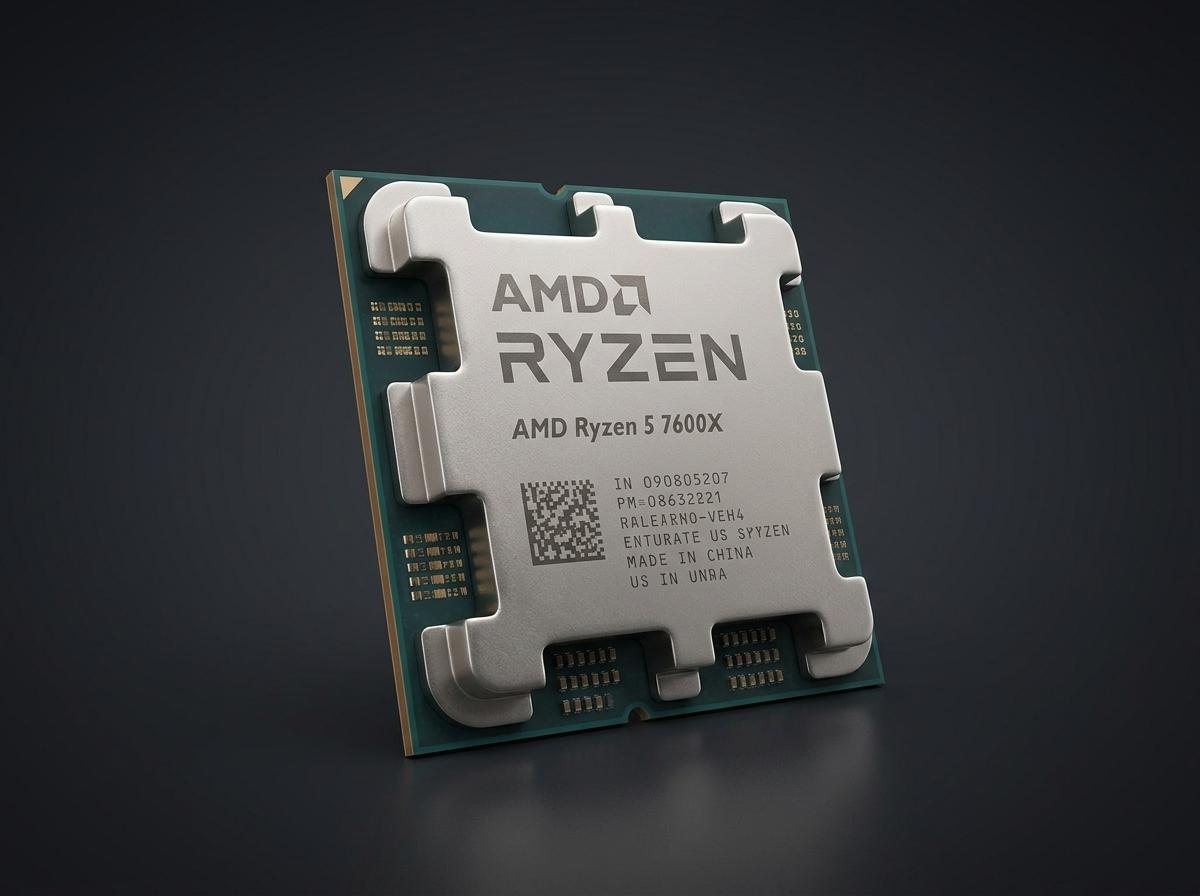
AMD Ryzen 5 7600X 6-Core, 12-Thread Unlocked Desktop Processor
A six-core, twelve-thread Zen 4 processor for AM5 gaming builds, with up to 5.3 GHz boost, 32MB L3 cache, DDR5 and PCIe 5.0 support, and an unlocked multiplier. No cooler included.
AMD Ryzen 5 7600X Review
The AMD Ryzen 5 7600X was the chip that opened AMD's AM5 era for mainstream builders. It's a six-core, twelve-thread Zen 4 processor with high clock speeds and a 32MB L3 cache, built for people who mainly want a fast gaming PC and don't need a workstation's worth of cores. Newer six-core options now exist, and the plain Ryzen 5 7600 costs less, so the real question is no longer whether the 7600X is fast. It is. The question is whether it is still the right six-core chip to build around, and what the rest of the system will cost.
This review is based on AMD's official specifications, published independent benchmark data, and our own analysis of the AM5 platform. It is written to help you decide whether the 7600X fits your build, budget, and upgrade plans.
Quick Verdict
- Best suited for: Gaming-focused builds, especially 1080p and 1440p systems paired with a mid-range to upper-mid-range graphics card.
- Main strengths: Strong single-threaded and gaming performance, modern AM5 platform with DDR5 and PCIe 5.0, unlocked multiplier, and a socket AMD has said it will keep supporting.
- Main drawbacks: No cooler in the box, a 105W default TDP that runs warmer than 65W alternatives, and only six cores for heavy rendering or encoding.
- Platform considerations: Requires an AM5 motherboard and DDR5 memory. There is no DDR4 or AM4 support.
- Consider buying it if: You're building a new gaming PC, want a straightforward AM5 starting point, and plan to upgrade the CPU later on the same motherboard.
- Compare alternatives first if: You want the lowest total cost, you mainly render or encode video, or you want the highest gaming frame rates your budget allows.
Check the latest price of the AMD Ryzen 5 7600X on Amazon
AMD Ryzen 5 7600X Specifications
All values below come from AMD's official product specifications. Clock speeds are AMD's advertised figures. Real-world boost behavior depends on cooling, motherboard, BIOS, and workload.
| Specification | AMD Ryzen 5 7600X |
|---|---|
| Model | AMD Ryzen 5 7600X |
| Architecture | Zen 4 (codename Raphael) |
| Process technology | TSMC 5nm (CPU die), TSMC 6nm (I/O die) |
| CPU cores | 6 |
| Threads | 12 |
| Base clock | 4.7 GHz |
| Maximum boost clock | Up to 5.3 GHz |
| L1 cache | 384 KB |
| L2 cache | 6 MB (1 MB per core) |
| L3 cache | 32 MB |
| Total cache | About 38.4 MB (384 KB L1 + 6 MB L2 + 32 MB L3). AMD's "38MB" figure counts L2 and L3. |
| Default TDP | 105W |
| Socket | AM5 |
| Supported chipsets | A620, B650, B650E, X670, X670E, B840, B850, X870, X870E |
| Memory type | DDR5 (UDIMM), dual channel, up to 128 GB |
| Official memory speed | DDR5-5200 with two DIMMs; DDR5-3600 with four DIMMs |
| PCIe version | PCIe 5.0 (28 native lanes, 24 usable) |
| Integrated graphics | AMD Radeon Graphics (2 graphics cores, 2200 MHz) |
| Overclocking support | Unlocked; supports Precision Boost Overdrive, Curve Optimizer, and AMD EXPO memory profiles |
| Maximum operating temperature (Tjmax) | 95°C |
| Cooler included | No. AMD recommends a premium air cooler. |
| Launch date | September 27, 2022 |
Design and Platform Overview
Where the 7600X sits in the Ryzen 7000 family
The Ryzen 5 7600X was one of the four launch chips of the Ryzen 7000 desktop series, alongside the Ryzen 7 7700X and the Ryzen 9 7900X and 7950X. It is the entry point to that launch lineup. AMD later added the cheaper 65W Ryzen 5 7600, the gaming-focused X3D models with extra stacked cache, and the Zen 5-based Ryzen 9000 series. That leaves the 7600X in an odd spot. It isn't the newest six-core chip or the cheapest one, but it's still a fully capable Zen 4 processor.
Zen 4 in practical terms
Zen 4 brought higher clock speeds, a larger 1MB L2 cache per core, and support for AVX-512 instructions compared with the Zen 3 chips of the AM4 era. The design pairs one eight-core compute die, with six cores enabled on this model, with a separate I/O die. The I/O die handles memory, PCIe, USB, and the small integrated Radeon graphics unit. For most buyers, the result is a fast single-core design that responds well in games and everyday use.
What AM5 means for your build
AM5 is AMD's current desktop socket. It moves to a land grid array (LGA) design, so the pins sit on the motherboard instead of the processor. It supports only DDR5 memory and adds PCIe 5.0 support. The practical upside is upgrade headroom: AMD has publicly committed to supporting AM5 for several years, and the socket already accepts Ryzen 7000, 8000-series desktop APUs, and Ryzen 9000 processors. A 7600X system can later take a faster chip without a new board, provided the board's BIOS supports it.
The trade-off is cost. Moving to AM5 means buying a new motherboard and DDR5 memory, and the 7600X also needs a separate cooler. When you're comparing it with older platforms, count those parts and not just the CPU's price.
AMD Ryzen 5 7600X Gaming Performance
Gaming is the main reason to buy a 7600X. Its high boost clock and strong per-core performance suit games that depend on one or a few busy threads. Most current games don't fully use more than six fast cores.
Competitive and high-refresh-rate gaming
Esports titles such as Counter-Strike 2, Valorant, and Fortnite at competitive settings tend to be limited by the CPU, because the graphics card can draw frames faster than the processor can prepare them. This is where the 7600X's single-threaded speed matters most. Paired with a capable GPU, it can drive high-refresh-rate monitors well. If you're chasing the very highest frame rates, the cache-heavy X3D chips are worth a look, as covered in the comparison section.
Modern AAA games
In demanding single-player games, the graphics card usually sets the frame rate, especially at 1440p and 4K with high detail settings. The 7600X has enough performance not to hold back mid-range and upper-mid-range GPUs in most AAA titles. Some CPU-heavy games, such as large simulations, strategy games with many units, and open-world games with dense crowds, can push a six-core chip harder. There, CPUs with more cache or more cores can deliver smoother frame pacing.
CPU-limited vs. GPU-limited situations
The resolution and graphics card you pick decide how much the processor matters:
- 1080p with a fast GPU: The CPU has the most influence here, so differences between processors are easiest to see.
- 1440p: The workload shifts toward the graphics card, and CPU differences shrink in most games.
- 4K: Performance is mostly limited by the GPU. A faster CPU usually changes average frame rates very little, though it can still help minimum frame rates in some titles.
So spending more on the graphics card usually does more for gaming than upgrading from a 7600X to a pricier CPU, unless you play competitive games at 1080p with a high-end GPU.
Why published results vary
Benchmark figures for the 7600X differ between publications because test systems differ. The graphics card, memory speed and timings, BIOS version, Windows build, game patches, and the scenes tested all affect results. Treat any single benchmark chart as a snapshot of one setup, not a fixed number your PC will match.
One useful reference point is how the 7600X compares with its successor. In TechSpot's 13-game test suite, published in August 2024, the Zen 5-based Ryzen 5 9600X averaged only about 1% higher frame rates than the 7600X under the publication's stock test conditions (TechSpot Ryzen 5 9600X review, August 2024). For gaming, the 7600X performs close to the newer six-core model.
Productivity and Everyday Performance
Six cores and twelve threads handle a wide range of tasks well, but some heavy workloads benefit from more cores.
- Everyday desktop use: Web browsing, office apps, media playback, and general multitasking are easy for this processor. Its high clock speeds keep the system responsive.
- Multitasking: Running a game with a browser, voice chat, and background apps is well within its range. Heavy parallel workloads running at the same time will compete for its six cores.
- Programming: Coding, light compiling, and local development servers run well. Large codebases that compile in parallel finish faster on CPUs with more cores.
- Photo editing: Lightroom and Photoshop rely heavily on per-core speed for many tasks, which suits the 7600X.
- Video editing: It handles 1080p and many 4K editing projects, especially with GPU-accelerated effects and encoding. Professional editors who export long, complex timelines regularly will save time with an eight-core or larger chip.
- Streaming while gaming: Use your graphics card's hardware encoder (NVENC, AMF, or Quick Sync) for the stream, not CPU-based x264 encoding. With hardware encoding, the 7600X has enough headroom for most streaming setups.
- Rendering and heavy multithreaded work: CPU rendering in Blender or Cinebench-style workloads, large file compression, and software video encoding scale with core count. Here a six-core chip is clearly outpaced by eight-core and higher Ryzen models, and by Intel chips with many efficiency cores such as the Core i5-14600K.
In short, the 7600X is a strong gaming and general-use processor, not a rendering workstation. If time spent waiting on CPU-heavy exports costs you money, budget for more cores.
Power Consumption, Temperatures, and Cooling
Understanding the 105W TDP
AMD lists the 7600X at a 105W default TDP. TDP is a thermal design reference used to size cooling solutions. It isn't a measurement of how much power the chip or your whole PC draws from the wall. Actual CPU power varies with workload: games usually load the processor well below its limit, while all-core rendering pushes it toward its configured power ceiling. Wall power also includes the graphics card, motherboard, memory, storage, fans, and power-supply losses.
How Zen 4 boosts and why temperatures look high
Ryzen 7000 processors are designed to raise clock speeds until they reach a limit, whether that's power, current, or temperature. AMD lists the 7600X's maximum operating temperature as 95°C. Under heavy all-core loads, it's normal for these chips to run close to that limit, because the boost algorithm deliberately uses the available thermal headroom. Reaching high temperatures under stress tests isn't a defect by itself. Better cooling usually lets the chip hold higher clocks for longer.
Choosing a cooler
The 7600X ships without a cooler, and AMD recommends a premium air cooler. In practice:
- A good dual-tower or quality single-tower air cooler is a sensible match for gaming builds.
- A 240mm or larger liquid cooler can help if you run long all-core workloads or plan to overclock.
- Make sure the cooler lists AM5 compatibility. Many AM4 coolers that use the stock AMD mounting fit AM5 too, but check the cooler maker's documentation before you rely on it.
Case airflow, BIOS settings, and variation
Temperatures depend on the cooler, case airflow, room temperature, motherboard power settings, and the specific workload. Motherboard firmware can also apply different default power limits or enable features such as Precision Boost Overdrive. If you want lower temperatures and power draw, AMD's Eco Mode, available through Ryzen Master or many motherboard BIOS menus, can cap power at a lower level. In most games the performance cost is modest, though results vary by title. Two identical CPUs in different systems can report quite different temperatures, so treat any single temperature figure with caution.
Ryzen 5 7600X Motherboard and Memory Compatibility
Socket and chipset support
The 7600X uses the AM5 socket. AMD lists support for the A620, B650, B650E, X670, X670E, B840, B850, X870, and X870E chipsets. Because the 7600X was a launch processor for AM5, boards from every AM5 generation are designed to support it. Even so, check your specific motherboard's CPU support list on the manufacturer's website, particularly for unusual or very budget-oriented boards.
Choosing a chipset
- A620 and B840: These entry-level options suit simple builds but generally offer fewer features and limited or no CPU overclocking support. Check the board's specifications for power-delivery quality and PCIe support.
- B650 and B850: The sweet spot for most 7600X builds, with a good balance of features and price.
- B650E, X670E, X870, and X870E: These add more PCIe 5.0 connectivity, extra I/O, and in some cases USB4. They're worth it only if you need those features.
DDR5 memory requirement
The 7600X supports DDR5 only. AMD's official speeds are DDR5-5200 with two memory modules and DDR5-3600 with four modules. Most builders use a two-module kit, which is usually easier to run at higher speeds. Many DDR5 kits include AMD EXPO profiles that apply tested speeds and timings automatically. Running memory above AMD's official specification counts as overclocking, and stability depends on the CPU, motherboard, and memory kit.
Expect the first boot of a new AM5 system to take longer than usual while the motherboard trains the memory. This is normal behavior.
PCIe 5.0 support
The processor provides PCIe 5.0 lanes, but whether you can use PCIe 5.0 for a graphics card or an NVMe SSD depends on the motherboard. Some boards offer PCIe 5.0 only for storage, some only for the graphics slot, some for both, and some for neither. Check the motherboard's slot specifications if PCIe 5.0 matters to you.
BIOS considerations
Updating to a recent BIOS is good practice on any AM5 board. Newer firmware often improves memory compatibility, stability, and boot behavior, and it's needed if you later upgrade to a newer Ryzen processor on the same board.
Upgrading from an older PC
An AM4 motherboard and DDR4 memory aren't compatible with the Ryzen 5 7600X. If you're coming from a Ryzen 3000 or 5000 system, you'll need a new motherboard, new DDR5 memory, and possibly a new cooler mount or cooler. If you want to keep your AM4 board and memory, a drop-in AM4 upgrade is the cheaper path. Ryzen 5000-series chips, including the X3D models, can deliver a meaningful improvement without replacing the platform.
Pros and Cons
Pros
- Strong gaming performance for a six-core processor
- High single-threaded performance keeps everyday use responsive
- Gaming performance close to the newer Ryzen 5 9600X in published testing
- AM5 platform offers a CPU upgrade path on the same motherboard
- Supports DDR5 and PCIe 5.0 (subject to motherboard)
- Unlocked, with Precision Boost Overdrive and EXPO memory support
- Integrated graphics allow basic display output without a graphics card
Cons
- No cooler included in the box
- 105W default TDP means more heat than 65W six-core alternatives
- Six cores fall behind higher-core-count CPUs in rendering and encoding
- Requires a new AM5 motherboard and DDR5 memory, with no DDR4 support
- The cheaper Ryzen 5 7600 delivers similar performance and includes a cooler
- Integrated graphics are only suitable for display output and light tasks, not gaming
AMD Ryzen 5 7600X vs. the Alternatives
The table below compares official specifications. Prices change frequently, so check current listings before deciding which chip offers better value.
| Processor | Architecture | Cores / Threads | Max boost | L3 cache | Default TDP / base power | Socket / memory | Cooler included |
|---|---|---|---|---|---|---|---|
| AMD Ryzen 5 7600X | Zen 4 | 6 / 12 | 5.3 GHz | 32 MB | 105W | AM5 / DDR5 | No |
| AMD Ryzen 5 7600 | Zen 4 | 6 / 12 | 5.1 GHz | 32 MB | 65W | AM5 / DDR5 | Yes (Wraith Stealth) |
| AMD Ryzen 5 9600X | Zen 5 | 6 / 12 | 5.4 GHz | 32 MB | 65W | AM5 / DDR5 | No |
| AMD Ryzen 5 7600X3D | Zen 4 with 3D V-Cache | 6 / 12 | 4.7 GHz | 96 MB | 65W | AM5 / DDR5 | No |
| AMD Ryzen 7 7800X3D | Zen 4 with 3D V-Cache | 8 / 16 | 5.0 GHz | 96 MB | 120W | AM5 / DDR5 | No |
| Intel Core i5-14600K | Raptor Lake Refresh (hybrid) | 14 (6P + 8E) / 20 | 5.3 GHz | 24 MB Smart Cache | 125W base / 181W max turbo | LGA1700 / DDR5 or DDR4 | No |
Ryzen 5 7600X vs. Ryzen 5 7600
These two chips share the same Zen 4 design, core count, and cache. The 7600X has higher base and boost clocks (4.7/5.3 GHz vs. 3.8/5.1 GHz) and a 105W TDP, while the 7600 runs at 65W and comes with AMD's Wraith Stealth cooler. In practice, the performance gap is small, and the 7600 is also unlocked for overclocking. For most gaming builds, the 7600 is the more sensible pick unless the 7600X is selling for nearly the same price. Note that the bundled Wraith Stealth is a basic cooler, and many builders replace it anyway.
Ryzen 5 7600X vs. Ryzen 5 9600X
The 9600X moves to the newer Zen 5 architecture with the same six cores and 32MB L3 cache, a slightly higher 5.4 GHz boost, and a lower 65W default TDP. AMD later added an optional higher-power mode through BIOS updates. Its advantages show up mainly in some productivity workloads. In gaming, published testing at launch found the two chips nearly identical. The 9600X makes sense if it costs about the same as the 7600X or if you value newer architecture and efficiency. If it costs noticeably more, the 7600X gives up very little in games.
Ryzen 5 7600X vs. Ryzen 5 7600X3D
The 7600X3D adds AMD's 3D V-Cache, tripling L3 cache to 96MB, but runs at lower clocks (4.7 GHz max boost) with a 65W TDP. Extra cache tends to help games that are sensitive to memory latency, while lower clocks can slightly reduce performance in some non-gaming tasks. Availability has been limited: the chip launched in the US as a retailer exclusive and isn't as widely stocked as the 7600X. If you can find it at a reasonable premium and gaming is your priority, it's worth comparing.
Ryzen 5 7600X vs. Ryzen 7 7800X3D
The 7800X3D is a different class of gaming processor. It has eight cores, sixteen threads, and 96MB of L3 cache, and it was widely regarded as one of the strongest gaming CPUs of its generation. It typically delivers clearly higher frame rates than the 7600X in CPU-limited games and handles multithreaded work better thanks to its extra cores. It also costs considerably more. Choose it if you're pairing a high-end graphics card with a high-refresh-rate monitor and the budget allows. For mid-range GPUs, the extra spend is often better put toward the graphics card.
Ryzen 5 7600X vs. Intel Core i5-14600K
The Core i5-14600K uses a hybrid design with six performance cores and eight efficiency cores, for 20 threads in total. That gives it a significant advantage in heavily multithreaded tasks such as rendering and encoding. It's also competitive in gaming. It supports both DDR4 and DDR5, which can lower upgrade costs if you already own DDR4 memory. On the downside, its 181W maximum turbo power means more heat to manage, and LGA1700 is effectively a finished platform with no further new desktop generations expected. Intel has also released microcode updates addressing instability in 13th- and 14th-generation desktop processors, so anyone building with this chip should install the latest motherboard BIOS. Choose the 14600K if multithreaded productivity matters more than a future upgrade path. Choose the 7600X if you want a cooler-running gaming chip on a platform with more upgrade life ahead.
Who Should Buy the Ryzen 5 7600X?
- Gamers building a new mid-range PC: It has the single-threaded speed to feed popular mid-range and upper-mid-range graphics cards at 1080p and 1440p.
- Builders planning to upgrade later: Starting on AM5 with a six-core chip and moving to a faster AM5 processor later spreads out the cost.
- Esports and high-refresh-rate players on a budget: Strong per-core performance suits CPU-heavy competitive games.
- Everyday users and students who also game: It's more than fast enough for productivity, light content creation, and programming.
- Tinkerers: The unlocked multiplier, Precision Boost Overdrive, and Curve Optimizer offer room to tune.
Who Should Avoid It?
- Buyers chasing the lowest total system cost: The Ryzen 5 7600 performs similarly and includes a cooler. Staying on AM4 avoids buying a new board and memory.
- AM4 owners wanting a simple upgrade: A drop-in Ryzen 5000-series chip is cheaper than a full platform change.
- Heavy rendering, encoding, or compiling users: Eight-core and larger Ryzen chips, or Intel's hybrid processors, will finish multithreaded jobs faster.
- Players chasing maximum frame rates with a top-tier GPU: An X3D processor is the stronger choice.
- Anyone planning to rely on integrated graphics for gaming: The built-in Radeon graphics are meant for display output and basic tasks only.
Is the AMD Ryzen 5 7600X Worth Buying?
For gaming, yes, at the right price. The Ryzen 5 7600X still delivers gaming performance close to AMD's newer six-core Ryzen 5 9600X, and the AM5 platform gives you a realistic upgrade path. It's fast enough that, for most players, the graphics card will be the limiting factor long before the CPU is.
Its value depends entirely on the price you pay compared with the alternatives. If the Ryzen 5 7600 costs less, it's usually the better buy because it performs similarly and includes a cooler. If the Ryzen 5 9600X costs about the same, the newer chip is reasonable to choose. The 7600X makes the most sense when it's priced at or below the 7600 plus the cost of a decent cooler, or when it sits clearly below the 9600X.
Before deciding, count the whole platform: an AM5 motherboard, a DDR5 kit, and an aftermarket cooler. If those costs stretch your budget, a cheaper chip or an AM4 upgrade may give you a better system overall. Prices change frequently, so compare current listings at checkout rather than relying on launch prices.
Frequently Asked Questions
Is the Ryzen 5 7600X good for gaming?
Yes. It's a strong six-core gaming processor with high clock speeds and good single-threaded performance. It suits 1080p and 1440p gaming with mid-range to upper-mid-range graphics cards. For the highest frame rates with a top-tier GPU, an X3D processor is faster.
How many cores and threads does the Ryzen 5 7600X have?
It has 6 cores and 12 threads, with a 4.7 GHz base clock and up to 5.3 GHz maximum boost clock.
Does the Ryzen 5 7600X include a CPU cooler?
No. AMD lists the thermal solution as not included and recommends a premium air cooler. Budget for an AM5-compatible cooler.
Which socket does the Ryzen 5 7600X use?
It uses AMD's AM5 socket. It doesn't fit AM4 motherboards.
Does the Ryzen 5 7600X support DDR4 RAM?
No. It supports DDR5 memory only. AMD's official speed is DDR5-5200 with two modules and DDR5-3600 with four modules.
Does the Ryzen 5 7600X have integrated graphics?
Yes. It includes basic AMD Radeon Graphics with two graphics cores. It's suitable for display output and troubleshooting, not for gaming. Your motherboard needs display outputs to use it.
What motherboard is compatible with the Ryzen 5 7600X?
Any AM5 motherboard using the A620, B650, B650E, X670, X670E, B840, B850, X870, or X870E chipset. For most builds, a B650 or B850 board offers the best balance. Always check the motherboard maker's CPU support list.
Is the Ryzen 5 7600X suitable for video editing?
It's capable of 1080p and many 4K editing projects, especially when GPU acceleration is used. Professionals who export long or complex projects often will benefit from a processor with more cores.
Should I choose the Ryzen 5 7600X or Ryzen 5 9600X?
For gaming, published testing found them nearly identical, so choose based on price. The 9600X uses the newer Zen 5 architecture, runs at a lower 65W default TDP, and is faster in some productivity tasks. If the two cost about the same, the 9600X is a reasonable pick. If the 7600X is noticeably cheaper, it gives up little in games.
Is the Ryzen 5 7600X worth buying?
Yes, for gaming-focused AM5 builds when the price is competitive. Compare it against the Ryzen 5 7600, which includes a cooler, and the Ryzen 5 9600X before buying, and include motherboard, DDR5, and cooler costs in your budget.
Final Verdict
The AMD Ryzen 5 7600X remains a capable, fast six-core gaming processor and a sound way into the AM5 platform. Its gaming performance is close to AMD's newer six-core chip, it's quick in everyday use, and it leaves room to upgrade later on the same motherboard. Its weaknesses are just as clear: there's no bundled cooler, it runs warmer than 65W alternatives, it has limited headroom for heavy multithreaded work, and the cheaper Ryzen 5 7600 performs similarly.
If you're building a gaming PC and the 7600X is priced competitively against the 7600 and 9600X, it's an easy processor to recommend. If price is tight, compare the alternatives above first.
Check the latest price of the AMD Ryzen 5 7600X on Amazon
As an Amazon Associate, we earn from qualifying purchases. Prices and availability are set by the retailer and may change.
Here’s the full review HTML, ready to paste into your website’s Full Description field:AMD Ryzen 5 7600X Review
Disclosure: As an Amazon Associate, we earn from qualifying purchases. If you buy through links on this page, we may earn a commission at no extra cost to you. This does not influence our editorial recommendations.
The AMD Ryzen 5 7600X was the chip that opened AMD's AM5 era for mainstream builders. It's a six-core, twelve-thread Zen 4 processor with high clock speeds and a 32MB L3 cache, built for people who mainly want a fast gaming PC and don't need a workstation's worth of cores. Newer six-core options now exist, and the plain Ryzen 5 7600 costs less, so the real question is no longer whether the 7600X is fast. It is. The question is whether it is still the right six-core chip to build around, and what the rest of the system will cost.
This review is based on AMD's official specifications, published independent benchmark data, and our own analysis of the AM5 platform. It is written to help you decide whether the 7600X fits your build, budget, and upgrade plans.
Quick Verdict
- Best suited for: Gaming-focused builds, especially 1080p and 1440p systems paired with a mid-range to upper-mid-range graphics card.
- Main strengths: Strong single-threaded and gaming performance, modern AM5 platform with DDR5 and PCIe 5.0, unlocked multiplier, and a socket AMD has said it will keep supporting.
- Main drawbacks: No cooler in the box, a 105W default TDP that runs warmer than 65W alternatives, and only six cores for heavy rendering or encoding.
- Platform considerations: Requires an AM5 motherboard and DDR5 memory. There is no DDR4 or AM4 support.
- Consider buying it if: You're building a new gaming PC, want a straightforward AM5 starting point, and plan to upgrade the CPU later on the same motherboard.
- Compare alternatives first if: You want the lowest total cost, you mainly render or encode video, or you want the highest gaming frame rates your budget allows.
Check the latest price of the AMD Ryzen 5 7600X on Amazon
AMD Ryzen 5 7600X Specifications
All values below come from AMD's official product specifications. Clock speeds are AMD's advertised figures. Real-world boost behavior depends on cooling, motherboard, BIOS, and workload.
| Specification | AMD Ryzen 5 7600X |
|---|---|
| Model | AMD Ryzen 5 7600X |
| Architecture | Zen 4 (codename Raphael) |
| Process technology | TSMC 5nm (CPU die), TSMC 6nm (I/O die) |
| CPU cores | 6 |
| Threads | 12 |
| Base clock | 4.7 GHz |
| Maximum boost clock | Up to 5.3 GHz |
| L1 cache | 384 KB |
| L2 cache | 6 MB (1 MB per core) |
| L3 cache | 32 MB |
| Total cache | About 38.4 MB (384 KB L1 + 6 MB L2 + 32 MB L3). AMD's "38MB" figure counts L2 and L3. |
| Default TDP | 105W |
| Socket | AM5 |
| Supported chipsets | A620, B650, B650E, X670, X670E, B840, B850, X870, X870E |
| Memory type | DDR5 (UDIMM), dual channel, up to 128 GB |
| Official memory speed | DDR5-5200 with two DIMMs; DDR5-3600 with four DIMMs |
| PCIe version | PCIe 5.0 (28 native lanes, 24 usable) |
| Integrated graphics | AMD Radeon Graphics (2 graphics cores, 2200 MHz) |
| Overclocking support | Unlocked; supports Precision Boost Overdrive, Curve Optimizer, and AMD EXPO memory profiles |
| Maximum operating temperature (Tjmax) | 95°C |
| Cooler included | No. AMD recommends a premium air cooler. |
| Launch date | September 27, 2022 |
Design and Platform Overview
Where the 7600X sits in the Ryzen 7000 family
The Ryzen 5 7600X was one of the four launch chips of the Ryzen 7000 desktop series, alongside the Ryzen 7 7700X and the Ryzen 9 7900X and 7950X. It is the entry point to that launch lineup. AMD later added the cheaper 65W Ryzen 5 7600, the gaming-focused X3D models with extra stacked cache, and the Zen 5-based Ryzen 9000 series. That leaves the 7600X in an odd spot. It isn't the newest six-core chip or the cheapest one, but it's still a fully capable Zen 4 processor.
Zen 4 in practical terms
Zen 4 brought higher clock speeds, a larger 1MB L2 cache per core, and support for AVX-512 instructions compared with the Zen 3 chips of the AM4 era. The design pairs one eight-core compute die, with six cores enabled on this model, with a separate I/O die. The I/O die handles memory, PCIe, USB, and the small integrated Radeon graphics unit. For most buyers, the result is a fast single-core design that responds well in games and everyday use.
What AM5 means for your build
AM5 is AMD's current desktop socket. It moves to a land grid array (LGA) design, so the pins sit on the motherboard instead of the processor. It supports only DDR5 memory and adds PCIe 5.0 support. The practical upside is upgrade headroom: AMD has publicly committed to supporting AM5 for several years, and the socket already accepts Ryzen 7000, 8000-series desktop APUs, and Ryzen 9000 processors. A 7600X system can later take a faster chip without a new board, provided the board's BIOS supports it.
The trade-off is cost. Moving to AM5 means buying a new motherboard and DDR5 memory, and the 7600X also needs a separate cooler. When you're comparing it with older platforms, count those parts and not just the CPU's price.
AMD Ryzen 5 7600X Gaming Performance
Gaming is the main reason to buy a 7600X. Its high boost clock and strong per-core performance suit games that depend on one or a few busy threads. Most current games don't fully use more than six fast cores.
Competitive and high-refresh-rate gaming
Esports titles such as Counter-Strike 2, Valorant, and Fortnite at competitive settings tend to be limited by the CPU, because the graphics card can draw frames faster than the processor can prepare them. This is where the 7600X's single-threaded speed matters most. Paired with a capable GPU, it can drive high-refresh-rate monitors well. If you're chasing the very highest frame rates, the cache-heavy X3D chips are worth a look, as covered in the comparison section.
Modern AAA games
In demanding single-player games, the graphics card usually sets the frame rate, especially at 1440p and 4K with high detail settings. The 7600X has enough performance not to hold back mid-range and upper-mid-range GPUs in most AAA titles. Some CPU-heavy games, such as large simulations, strategy games with many units, and open-world games with dense crowds, can push a six-core chip harder. There, CPUs with more cache or more cores can deliver smoother frame pacing.
CPU-limited vs. GPU-limited situations
The resolution and graphics card you pick decide how much the processor matters:
- 1080p with a fast GPU: The CPU has the most influence here, so differences between processors are easiest to see.
- 1440p: The workload shifts toward the graphics card, and CPU differences shrink in most games.
- 4K: Performance is mostly limited by the GPU. A faster CPU usually changes average frame rates very little, though it can still help minimum frame rates in some titles.
So spending more on the graphics card usually does more for gaming than upgrading from a 7600X to a pricier CPU, unless you play competitive games at 1080p with a high-end GPU.
Why published results vary
Benchmark figures for the 7600X differ between publications because test systems differ. The graphics card, memory speed and timings, BIOS version, Windows build, game patches, and the scenes tested all affect results. Treat any single benchmark chart as a snapshot of one setup, not a fixed number your PC will match.
One useful reference point is how the 7600X compares with its successor. In TechSpot's 13-game test suite, published in August 2024, the Zen 5-based Ryzen 5 9600X averaged only about 1% higher frame rates than the 7600X under the publication's stock test conditions (TechSpot Ryzen 5 9600X review, August 2024). For gaming, the 7600X performs close to the newer six-core model.
Productivity and Everyday Performance
Six cores and twelve threads handle a wide range of tasks well, but some heavy workloads benefit from more cores.
- Everyday desktop use: Web browsing, office apps, media playback, and general multitasking are easy for this processor. Its high clock speeds keep the system responsive.
- Multitasking: Running a game with a browser, voice chat, and background apps is well within its range. Heavy parallel workloads running at the same time will compete for its six cores.
- Programming: Coding, light compiling, and local development servers run well. Large codebases that compile in parallel finish faster on CPUs with more cores.
- Photo editing: Lightroom and Photoshop rely heavily on per-core speed for many tasks, which suits the 7600X.
- Video editing: It handles 1080p and many 4K editing projects, especially with GPU-accelerated effects and encoding. Professional editors who export long, complex timelines regularly will save time with an eight-core or larger chip.
- Streaming while gaming: Use your graphics card's hardware encoder (NVENC, AMF, or Quick Sync) for the stream, not CPU-based x264 encoding. With hardware encoding, the 7600X has enough headroom for most streaming setups.
- Rendering and heavy multithreaded work: CPU rendering in Blender or Cinebench-style workloads, large file compression, and software video encoding scale with core count. Here a six-core chip is clearly outpaced by eight-core and higher Ryzen models, and by Intel chips with many efficiency cores such as the Core i5-14600K.
In short, the 7600X is a strong gaming and general-use processor, not a rendering workstation. If time spent waiting on CPU-heavy exports costs you money, budget for more cores.
Power Consumption, Temperatures, and Cooling
Understanding the 105W TDP
AMD lists the 7600X at a 105W default TDP. TDP is a thermal design reference used to size cooling solutions. It isn't a measurement of how much power the chip or your whole PC draws from the wall. Actual CPU power varies with workload: games usually load the processor well below its limit, while all-core rendering pushes it toward its configured power ceiling. Wall power also includes the graphics card, motherboard, memory, storage, fans, and power-supply losses.
How Zen 4 boosts and why temperatures look high
Ryzen 7000 processors are designed to raise clock speeds until they reach a limit, whether that's power, current, or temperature. AMD lists the 7600X's maximum operating temperature as 95°C. Under heavy all-core loads, it's normal for these chips to run close to that limit, because the boost algorithm deliberately uses the available thermal headroom. Reaching high temperatures under stress tests isn't a defect by itself. Better cooling usually lets the chip hold higher clocks for longer.
Choosing a cooler
The 7600X ships without a cooler, and AMD recommends a premium air cooler. In practice:
- A good dual-tower or quality single-tower air cooler is a sensible match for gaming builds.
- A 240mm or larger liquid cooler can help if you run long all-core workloads or plan to overclock.
- Make sure the cooler lists AM5 compatibility. Many AM4 coolers that use the stock AMD mounting fit AM5 too, but check the cooler maker's documentation before you rely on it.
Case airflow, BIOS settings, and variation
Temperatures depend on the cooler, case airflow, room temperature, motherboard power settings, and the specific workload. Motherboard firmware can also apply different default power limits or enable features such as Precision Boost Overdrive. If you want lower temperatures and power draw, AMD's Eco Mode, available through Ryzen Master or many motherboard BIOS menus, can cap power at a lower level. In most games the performance cost is modest, though results vary by title. Two identical CPUs in different systems can report quite different temperatures, so treat any single temperature figure with caution.
Ryzen 5 7600X Motherboard and Memory Compatibility
Socket and chipset support
The 7600X uses the AM5 socket. AMD lists support for the A620, B650, B650E, X670, X670E, B840, B850, X870, and X870E chipsets. Because the 7600X was a launch processor for AM5, boards from every AM5 generation are designed to support it. Even so, check your specific motherboard's CPU support list on the manufacturer's website, particularly for unusual or very budget-oriented boards.
Choosing a chipset
- A620 and B840: These entry-level options suit simple builds but generally offer fewer features and limited or no CPU overclocking support. Check the board's specifications for power-delivery quality and PCIe support.
- B650 and B850: The sweet spot for most 7600X builds, with a good balance of features and price.
- B650E, X670E, X870, and X870E: These add more PCIe 5.0 connectivity, extra I/O, and in some cases USB4. They're worth it only if you need those features.
DDR5 memory requirement
The 7600X supports DDR5 only. AMD's official speeds are DDR5-5200 with two memory modules and DDR5-3600 with four modules. Most builders use a two-module kit, which is usually easier to run at higher speeds. Many DDR5 kits include AMD EXPO profiles that apply tested speeds and timings automatically. Running memory above AMD's official specification counts as overclocking, and stability depends on the CPU, motherboard, and memory kit.
Expect the first boot of a new AM5 system to take longer than usual while the motherboard trains the memory. This is normal behavior.
PCIe 5.0 support
The processor provides PCIe 5.0 lanes, but whether you can use PCIe 5.0 for a graphics card or an NVMe SSD depends on the motherboard. Some boards offer PCIe 5.0 only for storage, some only for the graphics slot, some for both, and some for neither. Check the motherboard's slot specifications if PCIe 5.0 matters to you.
BIOS considerations
Updating to a recent BIOS is good practice on any AM5 board. Newer firmware often improves memory compatibility, stability, and boot behavior, and it's needed if you later upgrade to a newer Ryzen processor on the same board.
Upgrading from an older PC
An AM4 motherboard and DDR4 memory aren't compatible with the Ryzen 5 7600X. If you're coming from a Ryzen 3000 or 5000 system, you'll need a new motherboard, new DDR5 memory, and possibly a new cooler mount or cooler. If you want to keep your AM4 board and memory, a drop-in AM4 upgrade is the cheaper path. Ryzen 5000-series chips, including the X3D models, can deliver a meaningful improvement without replacing the platform.
Pros and Cons
Pros
- Strong gaming performance for a six-core processor
- High single-threaded performance keeps everyday use responsive
- Gaming performance close to the newer Ryzen 5 9600X in published testing
- AM5 platform offers a CPU upgrade path on the same motherboard
- Supports DDR5 and PCIe 5.0 (subject to motherboard)
- Unlocked, with Precision Boost Overdrive and EXPO memory support
- Integrated graphics allow basic display output without a graphics card
Cons
- No cooler included in the box
- 105W default TDP means more heat than 65W six-core alternatives
- Six cores fall behind higher-core-count CPUs in rendering and encoding
- Requires a new AM5 motherboard and DDR5 memory, with no DDR4 support
- The cheaper Ryzen 5 7600 delivers similar performance and includes a cooler
- Integrated graphics are only suitable for display output and light tasks, not gaming
AMD Ryzen 5 7600X vs. the Alternatives
The table below compares official specifications. Prices change frequently, so check current listings before deciding which chip offers better value.
| Processor | Architecture | Cores / Threads | Max boost | L3 cache | Default TDP / base power | Socket / memory | Cooler included |
|---|---|---|---|---|---|---|---|
| AMD Ryzen 5 7600X | Zen 4 | 6 / 12 | 5.3 GHz | 32 MB | 105W | AM5 / DDR5 | No |
| AMD Ryzen 5 7600 | Zen 4 | 6 / 12 | 5.1 GHz | 32 MB | 65W | AM5 / DDR5 | Yes (Wraith Stealth) |
| AMD Ryzen 5 9600X | Zen 5 | 6 / 12 | 5.4 GHz | 32 MB | 65W | AM5 / DDR5 | No |
| AMD Ryzen 5 7600X3D | Zen 4 with 3D V-Cache | 6 / 12 | 4.7 GHz | 96 MB | 65W | AM5 / DDR5 | No |
| AMD Ryzen 7 7800X3D | Zen 4 with 3D V-Cache | 8 / 16 | 5.0 GHz | 96 MB | 120W | AM5 / DDR5 | No |
| Intel Core i5-14600K | Raptor Lake Refresh (hybrid) | 14 (6P + 8E) / 20 | 5.3 GHz | 24 MB Smart Cache | 125W base / 181W max turbo | LGA1700 / DDR5 or DDR4 | No |
Ryzen 5 7600X vs. Ryzen 5 7600
These two chips share the same Zen 4 design, core count, and cache. The 7600X has higher base and boost clocks (4.7/5.3 GHz vs. 3.8/5.1 GHz) and a 105W TDP, while the 7600 runs at 65W and comes with AMD's Wraith Stealth cooler. In practice, the performance gap is small, and the 7600 is also unlocked for overclocking. For most gaming builds, the 7600 is the more sensible pick unless the 7600X is selling for nearly the same price. Note that the bundled Wraith Stealth is a basic cooler, and many builders replace it anyway.
Ryzen 5 7600X vs. Ryzen 5 9600X
The 9600X moves to the newer Zen 5 architecture with the same six cores and 32MB L3 cache, a slightly higher 5.4 GHz boost, and a lower 65W default TDP. AMD later added an optional higher-power mode through BIOS updates. Its advantages show up mainly in some productivity workloads. In gaming, published testing at launch found the two chips nearly identical. The 9600X makes sense if it costs about the same as the 7600X or if you value newer architecture and efficiency. If it costs noticeably more, the 7600X gives up very little in games.
Ryzen 5 7600X vs. Ryzen 5 7600X3D
The 7600X3D adds AMD's 3D V-Cache, tripling L3 cache to 96MB, but runs at lower clocks (4.7 GHz max boost) with a 65W TDP. Extra cache tends to help games that are sensitive to memory latency, while lower clocks can slightly reduce performance in some non-gaming tasks. Availability has been limited: the chip launched in the US as a retailer exclusive and isn't as widely stocked as the 7600X. If you can find it at a reasonable premium and gaming is your priority, it's worth comparing.
Ryzen 5 7600X vs. Ryzen 7 7800X3D
The 7800X3D is a different class of gaming processor. It has eight cores, sixteen threads, and 96MB of L3 cache, and it was widely regarded as one of the strongest gaming CPUs of its generation. It typically delivers clearly higher frame rates than the 7600X in CPU-limited games and handles multithreaded work better thanks to its extra cores. It also costs considerably more. Choose it if you're pairing a high-end graphics card with a high-refresh-rate monitor and the budget allows. For mid-range GPUs, the extra spend is often better put toward the graphics card.
Ryzen 5 7600X vs. Intel Core i5-14600K
The Core i5-14600K uses a hybrid design with six performance cores and eight efficiency cores, for 20 threads in total. That gives it a significant advantage in heavily multithreaded tasks such as rendering and encoding. It's also competitive in gaming. It supports both DDR4 and DDR5, which can lower upgrade costs if you already own DDR4 memory. On the downside, its 181W maximum turbo power means more heat to manage, and LGA1700 is effectively a finished platform with no further new desktop generations expected. Intel has also released microcode updates addressing instability in 13th- and 14th-generation desktop processors, so anyone building with this chip should install the latest motherboard BIOS. Choose the 14600K if multithreaded productivity matters more than a future upgrade path. Choose the 7600X if you want a cooler-running gaming chip on a platform with more upgrade life ahead.
Who Should Buy the Ryzen 5 7600X?
- Gamers building a new mid-range PC: It has the single-threaded speed to feed popular mid-range and upper-mid-range graphics cards at 1080p and 1440p.
- Builders planning to upgrade later: Starting on AM5 with a six-core chip and moving to a faster AM5 processor later spreads out the cost.
- Esports and high-refresh-rate players on a budget: Strong per-core performance suits CPU-heavy competitive games.
- Everyday users and students who also game: It's more than fast enough for productivity, light content creation, and programming.
- Tinkerers: The unlocked multiplier, Precision Boost Overdrive, and Curve Optimizer offer room to tune.
Who Should Avoid It?
- Buyers chasing the lowest total system cost: The Ryzen 5 7600 performs similarly and includes a cooler. Staying on AM4 avoids buying a new board and memory.
- AM4 owners wanting a simple upgrade: A drop-in Ryzen 5000-series chip is cheaper than a full platform change.
- Heavy rendering, encoding, or compiling users: Eight-core and larger Ryzen chips, or Intel's hybrid processors, will finish multithreaded jobs faster.
- Players chasing maximum frame rates with a top-tier GPU: An X3D processor is the stronger choice.
- Anyone planning to rely on integrated graphics for gaming: The built-in Radeon graphics are meant for display output and basic tasks only.
Is the AMD Ryzen 5 7600X Worth Buying?
For gaming, yes, at the right price. The Ryzen 5 7600X still delivers gaming performance close to AMD's newer six-core Ryzen 5 9600X, and the AM5 platform gives you a realistic upgrade path. It's fast enough that, for most players, the graphics card will be the limiting factor long before the CPU is.
Its value depends entirely on the price you pay compared with the alternatives. If the Ryzen 5 7600 costs less, it's usually the better buy because it performs similarly and includes a cooler. If the Ryzen 5 9600X costs about the same, the newer chip is reasonable to choose. The 7600X makes the most sense when it's priced at or below the 7600 plus the cost of a decent cooler, or when it sits clearly below the 9600X.
Before deciding, count the whole platform: an AM5 motherboard, a DDR5 kit, and an aftermarket cooler. If those costs stretch your budget, a cheaper chip or an AM4 upgrade may give you a better system overall. Prices change frequently, so compare current listings at checkout rather than relying on launch prices.
Frequently Asked Questions
Is the Ryzen 5 7600X good for gaming?
Yes. It's a strong six-core gaming processor with high clock speeds and good single-threaded performance. It suits 1080p and 1440p gaming with mid-range to upper-mid-range graphics cards. For the highest frame rates with a top-tier GPU, an X3D processor is faster.
How many cores and threads does the Ryzen 5 7600X have?
It has 6 cores and 12 threads, with a 4.7 GHz base clock and up to 5.3 GHz maximum boost clock.
Does the Ryzen 5 7600X include a CPU cooler?
No. AMD lists the thermal solution as not included and recommends a premium air cooler. Budget for an AM5-compatible cooler.
Which socket does the Ryzen 5 7600X use?
It uses AMD's AM5 socket. It doesn't fit AM4 motherboards.
Does the Ryzen 5 7600X support DDR4 RAM?
No. It supports DDR5 memory only. AMD's official speed is DDR5-5200 with two modules and DDR5-3600 with four modules.
Does the Ryzen 5 7600X have integrated graphics?
Yes. It includes basic AMD Radeon Graphics with two graphics cores. It's suitable for display output and troubleshooting, not for gaming. Your motherboard needs display outputs to use it.
What motherboard is compatible with the Ryzen 5 7600X?
Any AM5 motherboard using the A620, B650, B650E, X670, X670E, B840, B850, X870, or X870E chipset. For most builds, a B650 or B850 board offers the best balance. Always check the motherboard maker's CPU support list.
Is the Ryzen 5 7600X suitable for video editing?
It's capable of 1080p and many 4K editing projects, especially when GPU acceleration is used. Professionals who export long or complex projects often will benefit from a processor with more cores.
Should I choose the Ryzen 5 7600X or Ryzen 5 9600X?
For gaming, published testing found them nearly identical, so choose based on price. The 9600X uses the newer Zen 5 architecture, runs at a lower 65W default TDP, and is faster in some productivity tasks. If the two cost about the same, the 9600X is a reasonable pick. If the 7600X is noticeably cheaper, it gives up little in games.
Is the Ryzen 5 7600X worth buying?
Yes, for gaming-focused AM5 builds when the price is competitive. Compare it against the Ryzen 5 7600, which includes a cooler, and the Ryzen 5 9600X before buying, and include motherboard, DDR5, and cooler costs in your budget.
Final Verdict
The AMD Ryzen 5 7600X remains a capable, fast six-core gaming processor and a sound way into the AM5 platform. Its gaming performance is close to AMD's newer six-core chip, it's quick in everyday use, and it leaves room to upgrade later on the same motherboard. Its weaknesses are just as clear: there's no bundled cooler, it runs warmer than 65W alternatives, it has limited headroom for heavy multithreaded work, and the cheaper Ryzen 5 7600 performs similarly.
If you're building a gaming PC and the 7600X is priced competitively against the 7600 and 9600X, it's an easy processor to recommend. If price is tight, compare the alternatives above first.
Check the latest price of the AMD Ryzen 5 7600X on Amazon
As an Amazon Associate, we earn from qualifying purchases. Prices and availability are set by the retailer and may change.
Pros
- Strong gaming performance for a six-core processor
- High single-threaded performance keeps everyday use responsive
- Gaming performance close to the newer Ryzen 5 9600X in published testing
- AM5 platform offers a CPU upgrade path on the same motherboard
- Supports DDR5 and PCIe 5.0 (subject to motherboard)
- Unlocked, with Precision Boost Overdrive and EXPO memory support
- Integrated graphics allow basic display output without a graphics card
Cons
- No cooler included in the box
- 105W default TDP means more heat than 65W six-core alternatives
- Six cores fall behind higher-core-count CPUs in rendering and encoding
- Requires a new AM5 motherboard and DDR5 memory, with no DDR4 support
- The cheaper Ryzen 5 7600 delivers similar performance and includes a cooler
- Integrated graphics are only suitable for display output and light tasks, not gaming
Spec Sheet
Specifications
General
| Model | AMD Ryzen 5 7600X |
|---|---|
| Product Family | Ryzen 7000 Series |
| Former Codename | Raphael |
| Launch Date | 2022-09-27 |
| Boxed Product ID | 100-100000593WOF |
CPU
| Architecture | Zen 4 |
|---|---|
| Process Technology (CPU Cores) | TSMC 5nm FinFET |
| Process Technology (I/O Die) | TSMC 6nm FinFET |
| Cores | 6 |
| Threads | 12 |
| Base Clock | 4.7 GHz |
| Max Boost Clock | Up to 5.3 GHz |
Cache
| L1 Cache | 384 KB |
|---|---|
| L2 Cache | 6 MB |
| L3 Cache | 32 MB |
| Total Cache | ~38.4 MB (L1 + L2 + L3) |
Power
| Default TDP | 105W |
|---|
Thermals
| Max Operating Temperature (Tjmax) | 95°C |
|---|---|
| Cooler Included | No |
| Recommended Cooler | Premium air cooler |
Platform
| Socket | AM5 |
|---|---|
| Supported Chipsets | A620, B650, B650E, X670, X670E, B840, B850, X870, X870E |
| PCIe Version | PCIe 5.0 |
| Native PCIe Lanes (Total/Usable) | 28 / 24 |
Memory
| Memory Type | DDR5 |
|---|---|
| Memory Channels | 2 |
| Max Memory | 128 GB |
| Max Memory Speed (2 DIMMs) | DDR5-5200 |
| Max Memory Speed (4 DIMMs) | DDR5-3600 |
| ECC Support | Yes (requires motherboard support) |
Graphics
| Integrated Graphics | AMD Radeon Graphics |
|---|---|
| Graphics Core Count | 2 |
| Graphics Frequency | 2200 MHz |
Overclocking
| Unlocked | Yes |
|---|---|
| Precision Boost Overdrive | Yes |
| AMD EXPO | Yes |
As an Amazon Associate we earn from qualifying purchases. See our affiliate disclosure.